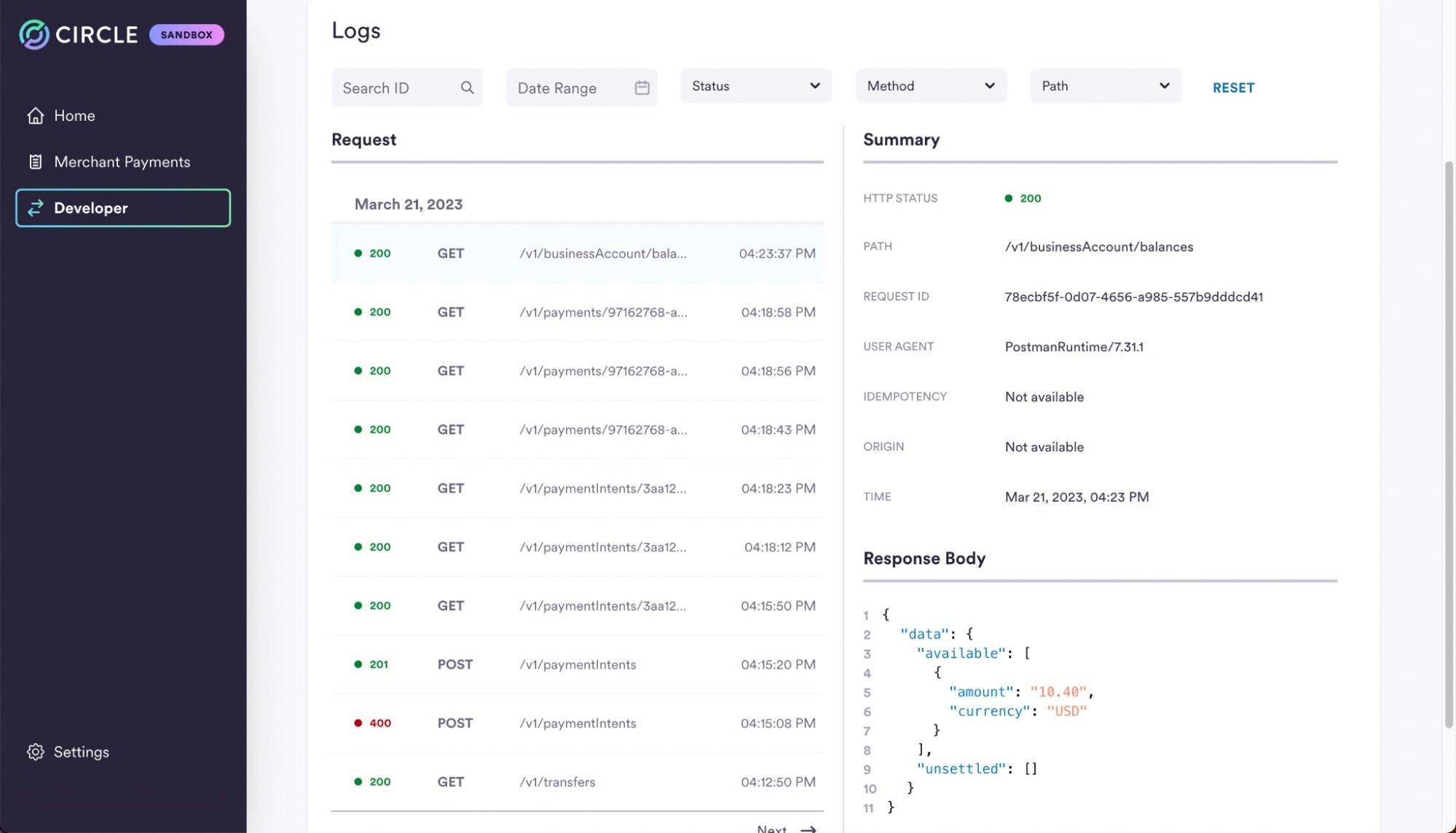
| HTTP Status | HTTP Status code for each request such as 200 or 400. |
| Path | The path excludes the base URL. |
| Request ID | The X-Request-Id in the header provided in the request or is generated plus by Circle and returned in the response. |
| User Agent | The User-Agent field in the request header. It is common that the HTTP library used will provide this field by default. |
| Idempotency | Idempotency Key sent in the request body. This is only found in POST requests. |
| Origin | Includes the protocol (HTTP/HTTPS), the domain or IP address, and the port number if applicable. |
| Time | Timestamp of when the request was received. |
| Request Body | The full request body. |
| Response Body | The full response body. |