> ## Documentation Index
> Fetch the complete documentation index at: https://circle-devdocs-test-ai-codegen-component.mintlify.site/llms.txt
> Use this file to discover all available pages before exploring further.
# Quickstart: Subscribe and Redeem USYC
USYC subscriptions and redemptions are handled through an audited smart
contract, callable from Solidity, TypeScript, or directly using the Etherscan
interface.
## Solidity
```solidity Solidity theme={null}
import "../IERC20.sol";
interface ITeller {
function buy(uint256 _amount) external returns (uint256);
function sell(uint256 _amount) external returns (uint256);
}
ITeller teller = ITeller(0x5C73E1cfdD85b7f1d608F7F7736fC8C653513B7A);
// Subscribe to USYC
IERC20 usdc = IERC20(0xA0b86991c6218b36c1d19D4a2e9Eb0cE3606eB48);
uint256 paying = 100 * 1e6; // 100.000000 USDC
usdc.approve(address(teller), paying);
uint256 usycPurchased = teller.buy(paying);
// Redeem USYC
IERC20 usyc = IERC20(0x136471a34f6ef19fE571EFFC1CA711fdb8E49f2b);
uint256 selling = 100 * 1e6; // 100.000000 USYC
usyc.approve(address(teller), selling);
uint256 usdcPayout = teller.sell(selling);
```
## TypeScript
```typescript Typescript theme={null}
import { Address, erc20ABI, writeContract } from "@wagmi/core";
const USYC_TELLER_ABI = [
{
inputs: [{ internalType: "uint256", name: "_amount", type: "uint256" }],
name: "sell",
outputs: [{ internalType: "uint256", name: "", type: "uint256" }],
stateMutability: "nonpayable",
type: "function",
},
{
inputs: [{ internalType: "uint256", name: "_amount", type: "uint256" }],
name: "buy",
outputs: [{ internalType: "uint256", name: "", type: "uint256" }],
stateMutability: "nonpayable",
type: "function",
},
] as const;
// Ethereum mainnet addresses
const USYC_TELLER_ADDRESS: Address =
"0x5C73E1cfdD85b7f1d608F7F7736fC8C653513B7A";
const USDC_ADDRESS: Address = "0xA0b86991c6218b36c1d19D4a2e9Eb0cE3606eB48";
const USYC_ADDRESS: Address = "0x136471a34f6ef19fE571EFFC1CA711fdb8E49f2b";
const ONE_HUNDRED_USDC = BigInt(100_000000); // USDC uses 6 decimals
const ONE_HUNDRED_USYC = BigInt(100_000000); // USYC uses 6 decimals
// Subscribe to USYC
export const approveUSYCTellerToSpendUSDC = () =>
writeContract({
chainId: 1,
address: USDC_ADDRESS,
abi: erc20ABI,
functionName: "approve",
args: [USYC_TELLER_ADDRESS, ONE_HUNDRED_USDC],
});
export const buyUSYC = () =>
writeContract({
address: USYC_TELLER_ADDRESS,
chainId: 1,
abi: USYC_TELLER_ABI,
functionName: "buy",
args: [ONE_HUNDRED_USDC],
});
// Redeem USYC
export const approveUSYCTellerToSpendUSYC = () =>
writeContract({
chainId: 1,
address: USYC_ADDRESS,
abi: erc20ABI,
functionName: "approve",
args: [USYC_TELLER_ADDRESS, ONE_HUNDRED_USYC],
});
export const sellUSYC = () =>
writeContract({
address: USYC_TELLER_ADDRESS,
chainId: 1,
abi: USYC_TELLER_ABI,
functionName: "sell",
args: [ONE_HUNDRED_USYC],
});
```
## Etherscan
You can use the Etherscan interface to subscribe to and redeem USYC.
### Subscribing to USYC
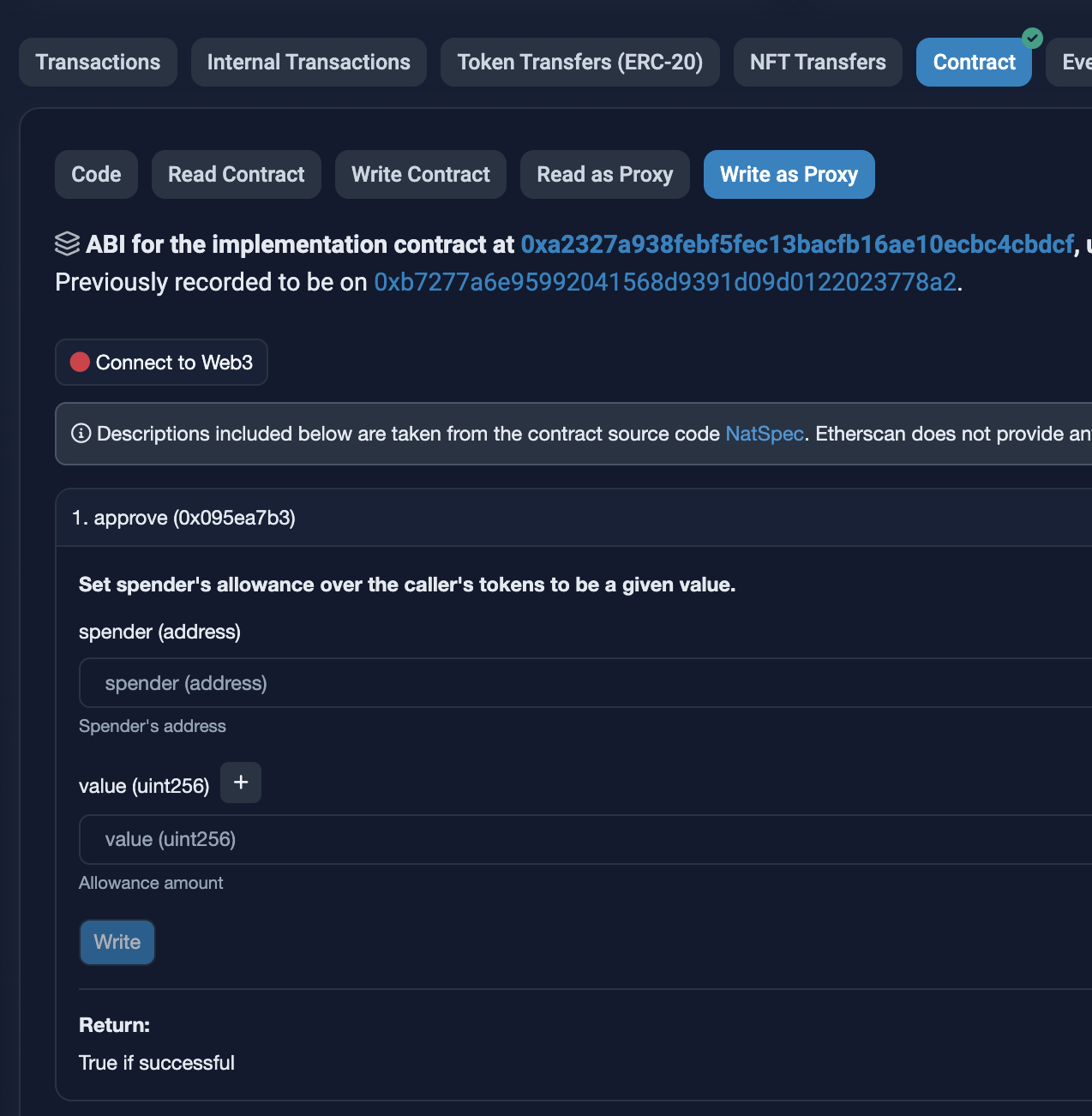
Before subscribing to USYC, you must approve the Teller contract to spend your
USDC.
1. Go to the USDC contract and click **Write as Proxy**.
2. Scroll to the `approve` function.
3. In the `spender` field, enter `0x5C73E1cfdD85b7f1d608F7F7736fC8C653513B7A`
(the Teller address).
4. In the `amount` field, enter the amount of USDC to spend.
 After setting the allowance, you can subscribe to USYC:
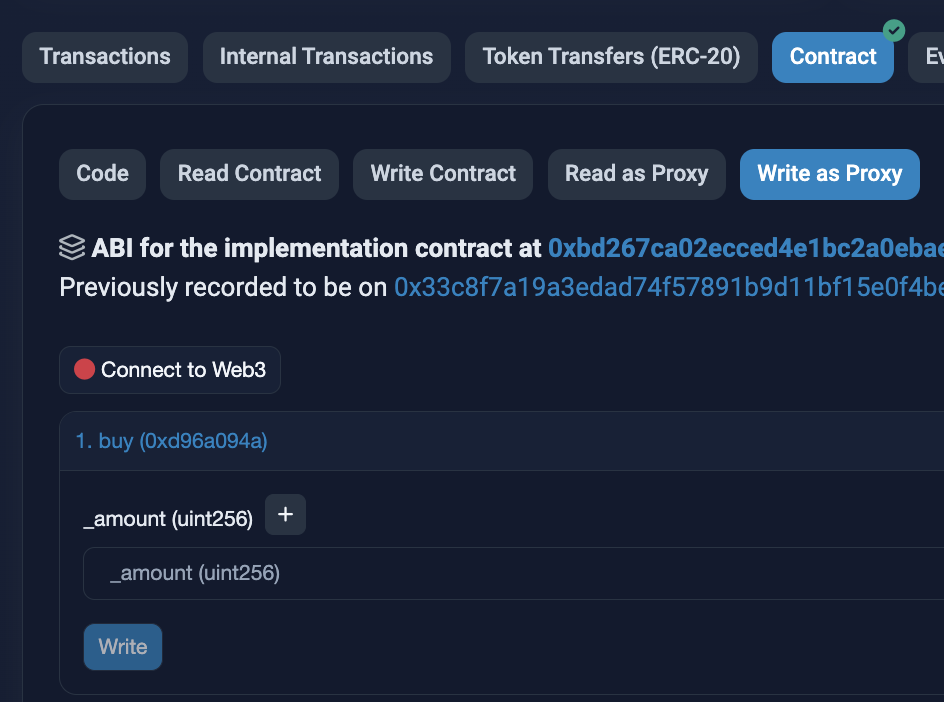
1. Go to the Teller contract and click **Write as Proxy**.
2. Scroll to the `buy` function.
3. Enter the amount of USDC to convert to USYC.
After setting the allowance, you can subscribe to USYC:
1. Go to the Teller contract and click **Write as Proxy**.
2. Scroll to the `buy` function.
3. Enter the amount of USDC to convert to USYC.
 ### Redeeming USYC
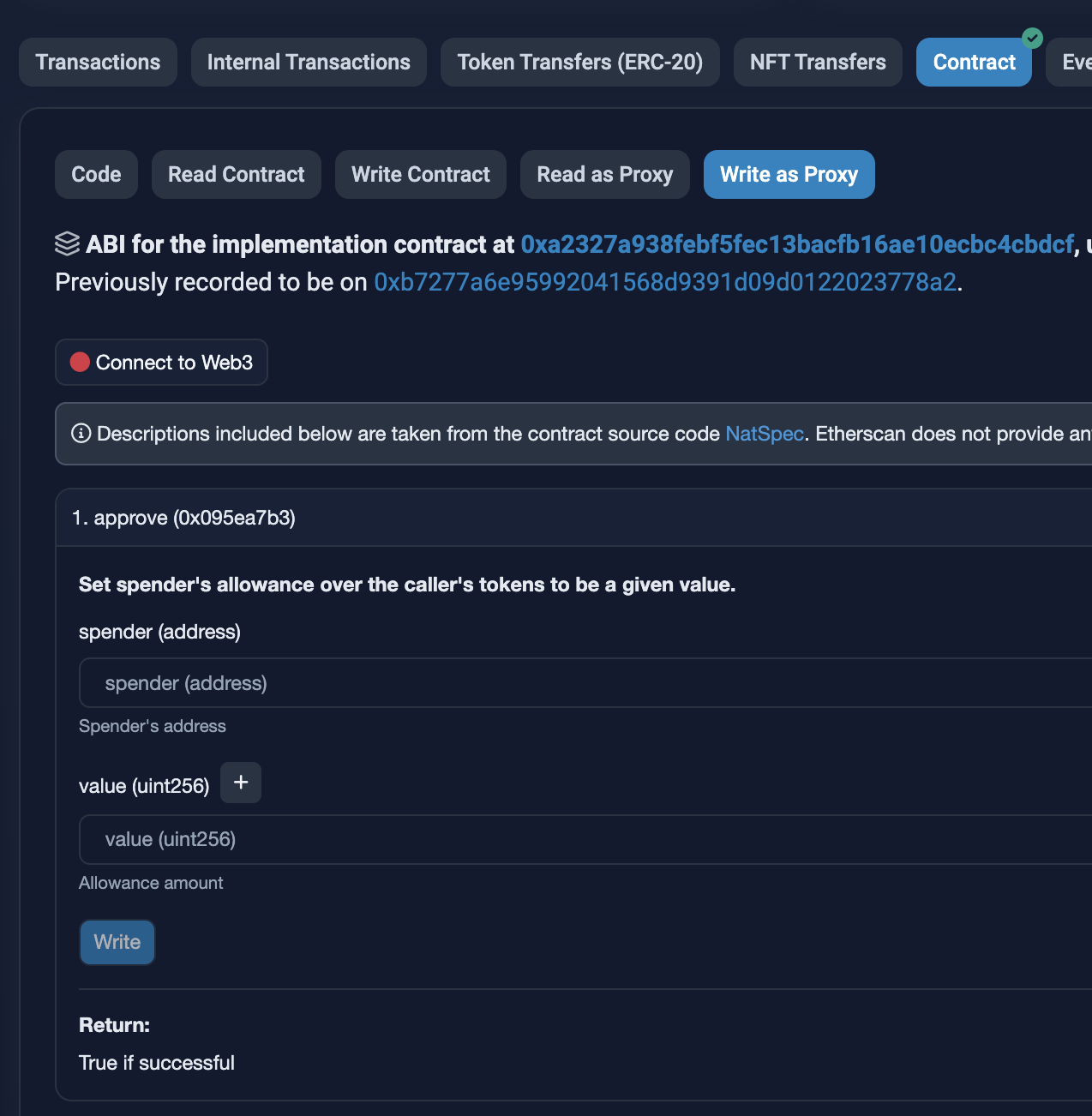
Before redeeming USYC, you must approve the Teller contract to spend your USYC.
1. Go to the USYC contract and click **Write as Proxy**.
2. Scroll to the `approve` function.
3. In the `spender` field, enter `0x5C73E1cfdD85b7f1d608F7F7736fC8C653513B7A`
(the Teller address).
4. In the `amount` field, enter the amount of USYC to redeem.
### Redeeming USYC
Before redeeming USYC, you must approve the Teller contract to spend your USYC.
1. Go to the USYC contract and click **Write as Proxy**.
2. Scroll to the `approve` function.
3. In the `spender` field, enter `0x5C73E1cfdD85b7f1d608F7F7736fC8C653513B7A`
(the Teller address).
4. In the `amount` field, enter the amount of USYC to redeem.
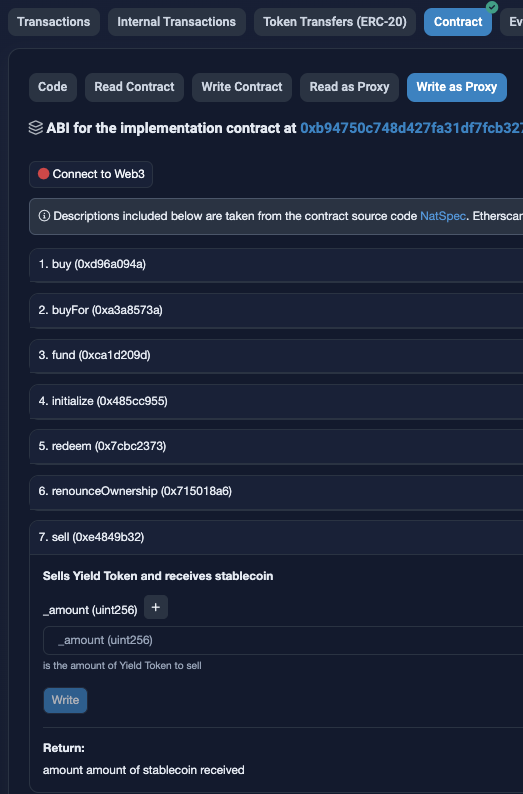
 After setting the allowance, you can redeem USYC:
1. Go to the Teller contract and click **Write as Proxy**.
2. Scroll to the `sell` function.
3. Enter the amount of USYC to convert to USDC.
After setting the allowance, you can redeem USYC:
1. Go to the Teller contract and click **Write as Proxy**.
2. Scroll to the `sell` function.
3. Enter the amount of USYC to convert to USDC.