> ## Documentation Index
> Fetch the complete documentation index at: https://circle-devdocs-test-ai-codegen-component.mintlify.site/llms.txt
> Use this file to discover all available pages before exploring further.

# User Controlled Wallets

export const FeedbackButton = () => {
  const [isOpen, setIsOpen] = useState(false);
  const [isRequestOpen, setIsRequestOpen] = useState(false);
  const [rating, setRating] = useState(null);
  const [completed, setCompleted] = useState(false);
  const [requestType, setRequestType] = useState('');
  const handleSubmitProposal = () => {
    setIsOpen(false);
    setIsRequestOpen(true);
  };
  return <>
      <button className="feedback-button" onClick={() => setIsOpen(true)}>
        Give Feedback
      </button>

      {isOpen && <div className="feedback-modal-overlay" onClick={() => setIsOpen(false)}>
          <div className="feedback-modal" onClick={e => e.stopPropagation()}>
            <button className="feedback-modal-close" onClick={() => setIsOpen(false)}>
              ×
            </button>

            <h2 className="feedback-modal-title">Give Feedback</h2>

            <div className="feedback-form">
              <div className="feedback-field">
                <label className="feedback-label">Email address</label>
                <input type="email" className="feedback-input" placeholder="" />
              </div>

              <div className="feedback-checkbox">
                <input type="checkbox" id="completed" checked={completed} onChange={e => setCompleted(e.target.checked)} />
                <label htmlFor="completed">I completed the Interactive Tutorial</label>
              </div>

              <div className="feedback-field">
                <label className="feedback-label">How helpful did you find the Interactive Tutorial?</label>
                <div className="feedback-rating">
                  <span className="feedback-rating-label">Not helpful</span>
                  {[1, 2, 3, 4, 5].map(value => <label key={value} className="feedback-rating-option">
                      <input type="radio" name="rating" value={value} checked={rating === value} onChange={() => setRating(value)} />
                      <span className="feedback-rating-number">{value}</span>
                    </label>)}
                  <span className="feedback-rating-label">Helpful</span>
                </div>
              </div>

              <div className="feedback-field">
                <label className="feedback-label">Your feedback</label>
                <textarea className="feedback-textarea" rows="5" placeholder="" />
              </div>

              <button className="feedback-submit">
                SEND MESSAGE
              </button>

              <div className="feedback-footer">
                <div className="feedback-footer-section">
                  <div className="feedback-footer-title">Reach out directly</div>
                  <a href="mailto:customer-support@circle.com" className="feedback-footer-link">
                    customer-support@circle.com
                  </a>
                </div>
                <div className="feedback-footer-section">
                  <div className="feedback-footer-title">Join our Discord community</div>
                  <a href="https://discord.com/invite/buildoncircle" className="feedback-footer-link feedback-footer-link-discord">
                    <span className="discord-icon">
                      <Icon icon="discord" iconType="brands" size={16} color="#fff" />
                    </span>
                    Join Discord
                  </a>
                </div>
                <div className="feedback-footer-section">
                  <div className="feedback-footer-title">Have a feature or docs request?</div>
                  <button onClick={handleSubmitProposal} className="feedback-footer-link feedback-footer-button">
                    Submit a proposal
                  </button>
                </div>
              </div>
            </div>
          </div>
        </div>}

      {isRequestOpen && <div className="feedback-modal-overlay" onClick={() => setIsRequestOpen(false)}>
          <div className="request-modal" onClick={e => e.stopPropagation()}>
            <button className="feedback-modal-close" onClick={() => setIsRequestOpen(false)}>
              ×
            </button>

            <h2 className="request-modal-title">Make a request</h2>

            <p className="request-modal-subtitle">
              Thank you for taking the time to fill out this survey. We look forward to seeing what you build 🚀
            </p>

            <div className="request-form">
              <label className="request-label">What best describes your request?</label>

              <label className="request-option">
                <input type="radio" name="request-type" value="feature" checked={requestType === 'feature'} onChange={e => setRequestType(e.target.value)} />
                <div className="request-option-content">
                  <span className="request-option-icon">🏗️</span>
                  <div className="request-option-text">
                    <strong>Feature Request:</strong> a new capability or improvement to the product
                  </div>
                </div>
              </label>

              <label className="request-option">
                <input type="radio" name="request-type" value="content" checked={requestType === 'content'} onChange={e => setRequestType(e.target.value)} />
                <div className="request-option-content">
                  <span className="request-option-icon">📖</span>
                  <div className="request-option-text">
                    <strong>Content Request:</strong> creation, update, or optimization of informational or educational content related to the product
                  </div>
                </div>
              </label>

              <label className="request-option">
                <input type="radio" name="request-type" value="community" checked={requestType === 'community'} onChange={e => setRequestType(e.target.value)} />
                <div className="request-option-content">
                  <span className="request-option-icon">🌐</span>
                  <div className="request-option-text">
                    <strong>Community Request:</strong> ideas on how we can improve our community, for example additional workshops or events
                  </div>
                </div>
              </label>

              <button className="request-next-button">
                Next
              </button>
            </div>
          </div>
        </div>}
    </>;
};

export const InitializeUser = () => {
  const [apiKey, setApiKey] = useState("");
  const [userId, setUserId] = useState("");
  const [blockchain, setBlockchain] = useState("ETH-SEPOLIA");
  const [response, setResponse] = useState(null);
  const [error, setError] = useState("");
  const [isLoading, setIsLoading] = useState(false);
  const handleSubmit = async () => {
    setError("");
    if (!apiKey.trim()) {
      setError("This field is required.");
      return;
    }
    setIsLoading(true);
    try {
      const res = await fetch("https://api.stytch.com/v1/users/initialize", {
        method: "POST",
        headers: {
          "Content-Type": "application/json",
          Authorization: `Bearer ${apiKey}`
        },
        body: JSON.stringify({
          user_id: userId || undefined,
          blockchain: blockchain
        })
      });
      const data = await res.json();
      setResponse(data);
    } catch (err) {
      setResponse({
        error: err.message
      });
    } finally {
      setIsLoading(false);
    }
  };
  const handleClearForm = () => {
    setApiKey("");
    setUserId("");
    setBlockchain("ETH-SEPOLIA");
    setResponse(null);
    setError("");
  };
  return <div className="border border-gray-200 dark:border-zinc-800 rounded-lg p-6 bg-white dark:bg-zinc-900">
      <h2 className="text-3xl font-semibold text-gray-900 dark:text-zinc-100 my-0 mb-4">Initialize User</h2>

      <div className="grid grid-cols-1 lg:grid-cols-2 gap-6">
        {}
        <div className="border-r-0 lg:border-r border-gray-200 dark:border-zinc-800 pr-0 lg:pr-6">
          <div className="flex justify-between items-center mb-4">
            <h3 className="text-xl font-semibold text-gray-900 dark:text-zinc-100 my-0">Input</h3>
            <span className="text-sm text-gray-500 dark:text-gray-400">* = required</span>
          </div>

          {}
          <div className="mb-2">
            <label className="block text-sm font-medium mb-2 text-gray-700 dark:text-gray-300">API key</label>
            <input type="text" value={apiKey} onChange={e => {
    setApiKey(e.target.value);
    setError("");
  }} placeholder="e.g. TEST_API_KEY" className={`w-full px-3 py-2.5 rounded-md text-sm bg-white dark:bg-zinc-800 text-gray-900 dark:text-zinc-100 placeholder-gray-400 dark:placeholder-gray-500 focus:outline-none focus:ring-2 focus:ring-blue-500 dark:focus:ring-blue-400 ${error ? "border-2 border-red-500 dark:border-red-400" : "border border-gray-300 dark:border-zinc-700"}`} />
            {error && <div className="flex items-center gap-1.5 mt-1.5 text-red-500 dark:text-red-400 text-sm">
                <span className="flex items-center justify-center w-4 h-4 rounded-full bg-red-500 dark:bg-red-400 text-white text-xs font-bold">
                  !
                </span>
                {error}
              </div>}
          </div>

          {}
          <div className="mb-2">
            <label className="block text-sm font-medium mb-2 text-gray-700 dark:text-gray-300">UserId</label>
            <input type="text" value={userId} onChange={e => setUserId(e.target.value)} className="w-full px-3 py-2.5 border border-gray-300 dark:border-zinc-700 rounded-md text-sm bg-white dark:bg-zinc-800 text-gray-900 dark:text-zinc-100 placeholder-gray-400 dark:placeholder-gray-500 focus:outline-none focus:ring-2 focus:ring-blue-500 dark:focus:ring-blue-400" />
          </div>

          {}
          <div className="mb-6">
            <label className="block text-sm font-medium mb-2 text-gray-700 dark:text-gray-300">Blockchains</label>
            <div className="relative">
              <select value={blockchain} onChange={e => setBlockchain(e.target.value)} className="w-full px-3 py-2.5 pr-10 border border-gray-300 dark:border-zinc-700 rounded-md text-sm bg-white dark:bg-zinc-800 text-gray-900 dark:text-zinc-100 cursor-pointer focus:outline-none focus:ring-2 focus:ring-blue-500 dark:focus:ring-blue-400 appearance-none">
                <option value="ETH-SEPOLIA">ETH-SEPOLIA</option>
                <option value="MATIC-AMOY">MATIC-AMOY</option>
                <option value="SOL-DEVNET">SOL-DEVNET</option>
              </select>
              <div className="pointer-events-none absolute inset-y-0 right-0 flex items-center px-3 text-gray-500 dark:text-gray-400">
                <svg className="w-4 h-4" fill="none" stroke="currentColor" viewBox="0 0 24 24">
                  <path strokeLinecap="round" strokeLinejoin="round" strokeWidth="2" d="M19 9l-7 7-7-7" />
                </svg>
              </div>
            </div>
          </div>

          {}
          <button onClick={handleClearForm} className="inline-flex items-center gap-1.5 text-base font-semibold text-blue-600 dark:text-blue-400 bg-transparent border-none cursor-pointer p-0 hover:text-blue-700 dark:hover:text-blue-300 transition-colors">
            Clear Form <Icon icon="circle-xmark" />
          </button>
        </div>

        {}
        <div>
          <h3 className="text-xl font-semibold mb-2 mt-0 text-gray-900 dark:text-zinc-100">Response</h3>
          <div className="bg-gray-50 dark:bg-zinc-800 border border-gray-200 dark:border-zinc-700 rounded-md p-4 min-h-[300px] max-h-[500px] overflow-auto relative">
            {response ? <>
                <button onClick={() => navigator.clipboard.writeText(JSON.stringify(response, null, 2))} className="absolute top-3 right-3 bg-white dark:bg-zinc-700 border border-gray-300 dark:border-zinc-600 rounded px-2.5 py-1.5 cursor-pointer text-xs text-gray-600 dark:text-gray-300 hover:bg-gray-100 dark:hover:bg-zinc-600 transition-colors" title="Copy to clipboard">
                  📋
                </button>
                <pre className="m-0 text-xs font-mono whitespace-pre-wrap break-words text-gray-900 dark:text-zinc-100">
                  {JSON.stringify(response, null, 2)}
                </pre>
              </> : <div className="text-gray-400 dark:text-gray-500 text-sm flex items-center justify-center h-full">
                Response will appear here...
              </div>}
          </div>
        </div>
      </div>

      {}
      <div className="mt-6 flex justify-end">
        <button onClick={handleSubmit} disabled={isLoading} className="bg-[#0073C3] dark:bg-[#0073C3] text-white border-none rounded-md px-8 py-3 text-base font-semibold cursor-pointer inline-flex items-center gap-2 hover:bg-cyan-700 dark:hover:bg-cyan-600 disabled:opacity-70 disabled:cursor-not-allowed transition-all">
          {isLoading ? "Loading..." : "Try it out"} →
        </button>
      </div>
    </div>;
};

export const TryItOut = ({title = "Initialize User", fields = [], apiEndpoint, description}) => {
  const [formData, setFormData] = useState(() => {
    const initial = {};
    fields.forEach(field => {
      initial[field.name] = field.defaultValue || "";
    });
    return initial;
  });
  const [response, setResponse] = useState(null);
  const [isLoading, setIsLoading] = useState(false);
  const handleInputChange = (fieldName, value) => {
    setFormData(prev => ({
      ...prev,
      [fieldName]: value
    }));
  };
  const handleExecute = async () => {
    if (!apiEndpoint) {
      console.log("Form data:", formData);
      return;
    }
    setIsLoading(true);
    try {
      const res = await fetch(apiEndpoint.url, {
        method: apiEndpoint.method || "POST",
        headers: {
          "Content-Type": "application/json",
          ...apiEndpoint.headers?.(formData)
        },
        body: JSON.stringify(formData)
      });
      const data = await res.json();
      setResponse(data);
    } catch (err) {
      setResponse({
        error: err.message
      });
    } finally {
      setIsLoading(false);
    }
  };
  return <div className="border border-gray-200 dark:border-zinc-700 rounded-lg overflow-hidden">
      {}
      <div className="bg-[#1A9FE8] dark:bg-[#1A9FE8] px-6 py-4 flex justify-between items-center">
        <h3 className="text-white text-lg font-semibold m-0">Try it out: {title}</h3>
        <button onClick={handleExecute} disabled={isLoading} className="bg-white/20 hover:bg-white/30 text-white font-semibold px-6 py-2 rounded-md transition-colors border-none cursor-pointer disabled:opacity-50 disabled:cursor-not-allowed">
          {isLoading ? "Loading..." : "Execute"}
        </button>
      </div>

      {}
      <div className="p-6 bg-white dark:bg-zinc-900 space-y-5">
        {fields.map(field => <div key={field.name}>
            <label className="block text-sm font-medium mb-2 text-gray-700 dark:text-gray-300">{field.label}</label>
            <input type={field.type || "text"} value={formData[field.name]} onChange={e => handleInputChange(field.name, e.target.value)} placeholder={field.placeholder} className="w-full px-4 py-3 border border-gray-300 dark:border-zinc-600 rounded-lg text-sm bg-white dark:bg-zinc-800 text-gray-900 dark:text-white placeholder-gray-400 dark:placeholder-gray-500 focus:outline-none focus:ring-2 focus:ring-blue-500 dark:focus:ring-blue-400 transition-colors" />
            {field.helpLink && <a href={field.helpLink.href} className="text-sm text-blue-600 dark:text-blue-400 hover:underline mt-1 inline-block">
                {field.helpLink.text}
              </a>}
          </div>)}

        {}
        {description && <div className="mt-6 pt-6 border-t border-gray-200 dark:border-zinc-700">
            <p className="text-sm text-gray-600 dark:text-gray-400 leading-relaxed">{description}</p>
          </div>}

        {}
        {response && <div className="mt-6 pt-6 border-t border-gray-200 dark:border-zinc-700">
            <h4 className="text-sm font-semibold mb-3 text-gray-900 dark:text-white">Response:</h4>
            <div className="bg-gray-50 dark:bg-zinc-800 border border-gray-200 dark:border-zinc-700 rounded-lg p-4 max-h-[400px] overflow-auto">
              <pre className="m-0 text-xs font-mono whitespace-pre-wrap break-words text-gray-900 dark:text-zinc-100">
                {JSON.stringify(response, null, 2)}
              </pre>
            </div>
          </div>}
      </div>
    </div>;
};

export const FeatureItem = ({title, icon, iconColor = '#1061a6', children, iconSize = 20, iconType = 'regular', href}) => {
  const titleContent = href ? <a href={href} target="_blank" rel="noopener noreferrer">
      {title}
      <Icon icon="arrow-up-right-from-square" size={12} className="feature-link-icon" />
    </a> : title;
  return <div className="feature-item">
      <div className={`feature-icon`}>
        <Icon icon={icon} size={iconSize} color={iconColor} iconType={iconType} />
      </div>
      <div className="feature-content">
        <h3 className="feature-title">{titleContent}</h3>
        <div className="feature-description">
          {children}
        </div>
      </div>
    </div>;
};

export const FeatureGrid = ({children, cols = 2, backgroundColor}) => {
  const columns = cols === 1 ? 1 : 2;
  return <div className="feature-grid-container" style={backgroundColor ? {
    backgroundColor
  } : {}}>
      <div className="feature-grid" data-cols={columns} style={{
    gridTemplateColumns: `repeat(${columns}, 1fr)`
  }}>
        {children}
      </div>
    </div>;
};

## Introduction

Dive into the Future of Blockchain-Enabled Experiences Today!

Are you ready to revolutionize the way users interact with crypto? Look no
further than the Developer Services Console, your gateway to unlocking the full
potential of blockchain technology. Get started now and discover the incredible
possibilities of User Controlled Wallets!

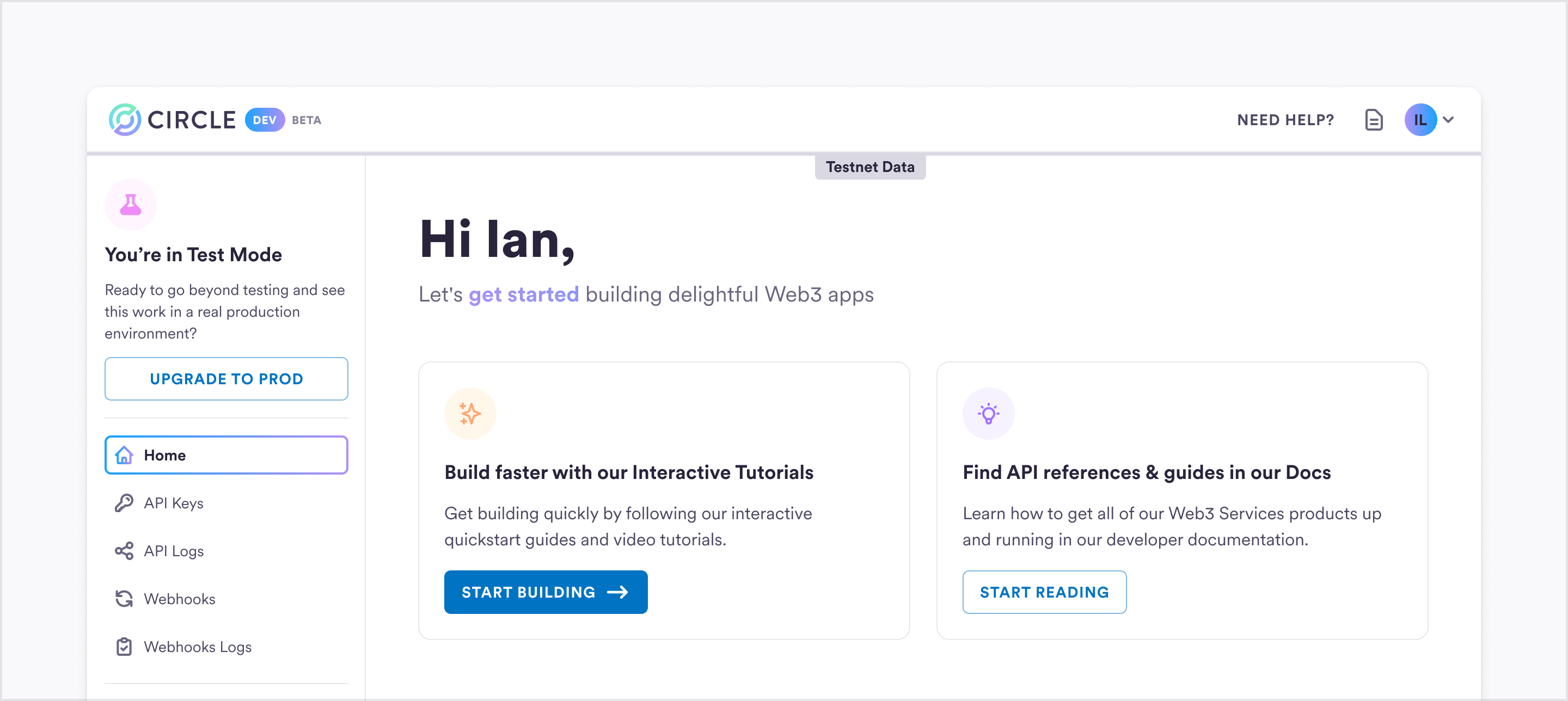
<Frame>
  <img src="https://mintcdn.com/circle-devdocs-test-ai-codegen-component/zjwlouYM7ujBrWdY/interactive-quickstarts/user-controlled-wallets/introduction/images/home.png?fit=max&auto=format&n=zjwlouYM7ujBrWdY&q=85&s=018a8d6b78c38564a835901091b92e25" alt="Developer Console" width="2880" height="1288" data-path="interactive-quickstarts/user-controlled-wallets/introduction/images/home.png" />
</Frame>

***

## Prerequisites

Before you get started, ensure that you have:

* Have a
  [Developer Services account](/interactive-quickstarts/get-started#create-a-developer-services-account)
* Created your [API key](/interactive-quickstarts/get-started#create-your-api-key)
* (Optional) Install our [SDKs](/w3s/web3-services-sdks)
<CodeGroup>
  ```javascript Node.js theme={null}
    // Developer Controlled Wallets
    npm install @circle-fin/developer-controlled-wallets --save
    // User Controlled Wallets
    npm install @circle-fin/user-controlled-wallets --save
    // Contracts
    npm install @circle-fin/smart-contract-platform --save

  ```

  ```python Python theme={null}
    #Developer Controlled Wallets
    pip install --upgrade circle-developer-controlled-wallets
    #User Controlled Wallets
    pip install --upgrade circle-user-controlled-wallets
    #Contracts
    pip install --upgrade circle-smart-contract-platform

  ```
</CodeGroup>

***

## Configure your App (get your AppID)

### What we want to achieve

In this section, we create and initalize a new user and then act as that user to
initiate a transaction. For both steps we need specific parameters. These
parameters are required to initialize a user session and later confirm the
transaction. They also serve determine how your app functions.

Here is a quick overview:

<table>
  <thead>
    <tr>
      <th>Term</th>
      <th>Definition</th>
    </tr>
  </thead>

  <tbody>
    <tr>
      <td><strong>App ID</strong></td>
      <td>The App ID is your application's unique identifier. It serves as a distinct label that sets your application apart from others.</td>
    </tr>

    <tr>
      <td><strong>Encryption Key and User Token</strong></td>
      <td>They are created when you initiate a user session. The user token is the session identifier, and the encryption key is an encryption and decryption key that is randomly generated to ensure the security of the session.</td>
    </tr>

    <tr>
      <td><strong>Challenge ID</strong></td>
      <td>The Challenge ID acts as an identifier that corresponds to a specific challenge. A challenge prompts your users to take specific actions, such as confirming transactions or executing smart contracts.</td>
    </tr>
  </tbody>
</table>

In the next few steps, we explain what these parameters are and how to acquire
them!

### Getting your App ID

First up is the App ID. Your App ID serves as a key component that allows you to
configure and tailor your User-Controlled Wallet integration.

You can make a request to the
[`GET /config/entity`](/api-reference/wallets/programmable-wallets/get-entity-config)
API endpoint to obtain your App ID.

<Note>
  **You can also find the App ID directly in the Developer Services Console.**

  Open the Developer Console and navigate to the
  [Wallets: User-Controlled](https://console.circle.com/wallets/user/configurator)
  section of the console. You can view various configuration settings related to
  your user-controlled wallet integration. To view your App ID, click
  **Configurator** in the left pane.
</Note>

## Create your User Wallet

Behind the scenes, you (as a developer) have to go through a few essential steps
to set up and initialize a user. In a theoretical sense, we will explore these
steps next: creating your first user and initializing their wallets. These steps
include creating a user, creating a session token, and initializing the user
account, where you will also create a wallet for the user via Circle's APIs. At
the end of these steps, you can then prompt your end-user to complete the
account setup in your sample app.

Once you've absorbed the theory behind these steps, you'll find a **Try It Out**
component at the end. This tool handles all of these steps for you, making your
experience with the QuickStart guide smoother and more user-friendly.

Let's delve into the process!

<Steps>
  <Step title="Create a new user">
    To begin the end-to-end process, you must create and initialize the users who will ultimately be using your application. A user, representing the end-user of your app, is identified through a userID. This `userID` serves as the account identifier encompassing all associated wallets, assets, and transactions for that specific user.

    <Note>
      You can use a UUID format for the `userID` or any other format. It must be at
      least five characters long. To simplify the creation of the `userID` you can
      use an online UUID generator such as
      [uuidgenerator.net](https://www.uuidgenerator.net/).
    </Note>

    <Tabs>
      <Tab title="SDK">
        <CodeGroup>
          ```javascript NodeJS theme={null}
          // Import & Initialize
          import { initiateUserControlledWalletsClient } from '@circle-fin/user-controlled-wallets';
          const client = initiateUserControlledWalletsClient({
            apiKey: '<API_KEY>',
          });
          const response = await client.createUserPinWithWallets({
            userToken: '<USER_TOKEN>',
            blockchains: ['<BLOCKCHAIN>']
          });
          ```

          ```python Python theme={null}
          from circle.web3 import user_controlled_wallets
          from circle.web3 import utils

          client = utils.init_user_controlled_wallets_client(api_key="<your-api-key>")
          api_instance = user_controlled_wallets.UsersApi(client)
          request = user_controlled_wallets.SetPinAndInitWalletRequest.from_dict({"blockchains": ['<BLOCKCHAINS>'], "idempotencyKey": str(uuid.uuid4()) })
          response = api_instance.create_user_with_pin_challenge("<USER_TOKEN>", request)
          print(response)
          ```
        </CodeGroup>
      </Tab>

      <Tab title="Go">
        <CodeGroup>
          ```go Go theme={null}
          package main
          import (
            "fmt"
            "strings"
            "net/http"
            "io"
          )
          func main() {
            url := "https://api.circle.com/v1/w3s/user/initialize"
            payload := strings.NewReader("{\"idempotencyKey\":\"<IDEMPOTENCY_KEY>\",\"blockchains\":[\"<BLOCKCHAIN>\"]}")
            req, _ := http.NewRequest("POST", url, payload)
            req.Header.Add("Content-Type", "application/json")
            req.Header.Add("Authorization", "Bearer <YOUR_API_KEY>")
            req.Header.Add("X-User-Token", "<USER_TOKEN>")
            res, _ := http.DefaultClient.Do(req)
            defer res.Body.Close()
            body, _ := io.ReadAll(res.Body)
            fmt.Println(string(body))
          }
          ```
        </CodeGroup>
      </Tab>

      <Tab title="NodeJS">
        <CodeGroup>
          ```javascript fetch theme={null}
            const fetch = require('node-fetch');

            const url = 'https://api.circle.com/v1/w3s/users';
            const options = {
              method: 'POST',
              headers: {'Content-Type': 'application/json', Authorization: 'Bearer <YOUR_API_KEY>'},
              body: JSON.stringify({userId: '<USER_ID>'})
            };

            fetch(url, options)
              .then(res => res.json())
              .then(json => console.log(json))
              .catch(err => console.error('error:' + err));
          ```

          ```javascript axios theme={null}
            const axios = require('axios');

            const options = {
              method: 'POST',
              url: 'https://api.circle.com/v1/w3s/users',
              headers: {'Content-Type': 'application/json', Authorization: 'Bearer <YOUR_API_KEY>'},
              data: {userId: '<USER_ID>'}
            };

            axios
              .request(options)
              .then(function (response) {
                console.log(response.data);
              })
              .catch(function (error) {
                console.error(error);
              });
          ```

          ```java native theme={null}
            const http = require('https');

            const options = {
              method: 'POST',
              hostname: 'api.circle.com',
              port: null,
              path: '/v1/w3s/users',
              headers: {
                'Content-Type': 'application/json',
                Authorization: 'Bearer <YOUR_API_KEY>'
              }
            };

            const req = http.request(options, function (res) {
              const chunks = [];

              res.on('data', function (chunk) {
                chunks.push(chunk);
              });

              res.on('end', function () {
                const body = Buffer.concat(chunks);
                console.log(body.toString());
              });
            });

            req.write(JSON.stringify({userId: '<USER_ID>'}));
            req.end();
          ```

          ```javascript request theme={null}
            const request = require('request');

            const options = {
              method: 'POST',
              url: 'https://api.circle.com/v1/w3s/users',
              headers: {'Content-Type': 'application/json', Authorization: 'Bearer <YOUR_API_KEY>'},
              body: {userId: '<USER_ID>'},
              json: true
            };

            request(options, function (error, response, body) {
              if (error) throw new Error(error);

              console.log(body);
            });
          ```

          ```javascript unirest theme={null}
            const unirest = require('unirest');

            const req = unirest('POST', 'https://api.circle.com/v1/w3s/users');

            req.headers({
              'Content-Type': 'application/json',
              Authorization: 'Bearer <YOUR_API_KEY>'
            });

            req.type('json');
            req.send({
              userId: '<USER_ID>'
            });

            req.end(function (res) {
              if (res.error) throw new Error(res.error);

              console.log(res.body);
            });
          ```
        </CodeGroup>
      </Tab>

      <Tab title="Java">
        <CodeGroup>
          ```java asynchttp theme={null}
            AsyncHttpClient client = new DefaultAsyncHttpClient();
            client.prepare("POST", "https://api.circle.com/v1/w3s/users")
              .setHeader("Content-Type", "application/json")
              .setHeader("Authorization", "Bearer <YOUR_API_KEY>")
              .setBody("{\"userId\":\"<USER_ID>\"}")
              .execute()
              .toCompletableFuture()
              .thenAccept(System.out::println)
              .join();

            client.close();
          ```

          ```java nethttp theme={null}
            HttpRequest request = HttpRequest.newBuilder()
                .uri(URI.create("https://api.circle.com/v1/w3s/users"))
                .header("Content-Type", "application/json")
                .header("Authorization", "Bearer <YOUR_API_KEY>")
                .method("POST", HttpRequest.BodyPublishers.ofString("{\"userId\":\"<USER_ID>\"}"))
                .build();
            HttpResponse<String> response = HttpClient.newHttpClient().send(request, HttpResponse.BodyHandlers.ofString());
            System.out.println(response.body());
          ```

          ```java okhttp theme={null}
            OkHttpClient client = new OkHttpClient();

            MediaType mediaType = MediaType.parse("application/json");
            RequestBody body = RequestBody.create(mediaType, "{\"userId\":\"<USER_ID>\"}");
            Request request = new Request.Builder()
              .url("https://api.circle.com/v1/w3s/users")
              .post(body)
              .addHeader("Content-Type", "application/json")
              .addHeader("Authorization", "Bearer <YOUR_API_KEY>")
              .build();

            Response response = client.newCall(request).execute();
          ```

          ```java unirest theme={null}
            HttpResponse<String> response = Unirest.post("https://api.circle.com/v1/w3s/users")
              .header("Content-Type", "application/json")
              .header("Authorization", "Bearer <YOUR_API_KEY>")
              .body("{\"userId\":\"<USER_ID>\"}")
              .asString();
          ```
        </CodeGroup>
      </Tab>

      <Tab title="JavaScript">
        <CodeGroup>
          ```javascript axios theme={null}
          import axios from 'axios';
          const options = {
            method: 'POST',
            url: 'https://api.circle.com/v1/w3s/user/initialize',
            headers: {
              'Content-Type': 'application/json',
              Authorization: 'Bearer <YOUR_API_KEY>',
              'X-User-Token': '<USER_TOKEN>'
            },
            data: {idempotencyKey: '<IDEMPOTENCY_KEY>', blockchains: ['<BLOCKCHAIN>']}
          };
          axios
            .request(options)
            .then(function (response) {
              console.log(response.data);
            })
            .catch(function (error) {
              console.error(error);
            });
          ```

          ```javascript fetch theme={null}
          const options = {
          method: 'POST',
          headers: {'Content-Type': 'application/json', Authorization: 'Bearer <YOUR_API_KEY>'},
          body: JSON.stringify({userId: '<USER_ID>'})
          };

          fetch('https://api.circle.com/v1/w3s/users', options)
          .then(response => response.json())
          .then(response => console.log(response))
          .catch(err => console.error(err));
          ```

          ```javascript jquery theme={null}
          const settings = {
          async: true,
          crossDomain: true,
          url: 'https://api.circle.com/v1/w3s/users',
          method: 'POST',
          headers: {
          'Content-Type': 'application/json',
          Authorization: 'Bearer <YOUR_API_KEY>'
          },
          processData: false,
          data: '{"userId":"<USER_ID>"}'
          };

          $.ajax(settings).done(function (response) {
          console.log(response);
          });
          ```

          ```javascript xhr theme={null}
          const data = JSON.stringify({
          userId: '<USER_ID>'
          });

          const xhr = new XMLHttpRequest();
          xhr.withCredentials = true;

          xhr.addEventListener('readystatechange', function () {
          if (this.readyState === this.DONE) {
          console.log(this.responseText);
          }
          });

          xhr.open('POST', 'https://api.circle.com/v1/w3s/users');
          xhr.setRequestHeader('Content-Type', 'application/json');
          xhr.setRequestHeader('Authorization', 'Bearer <YOUR_API_KEY>');

          xhr.send(data);
          ```
        </CodeGroup>
      </Tab>

      <Tab title="Kotlin">
        <CodeGroup>
          ```kotlin Kotlin theme={null}
          val client = OkHttpClient()
          val mediaType = MediaType.parse("application/json")
          val body = RequestBody.create(mediaType, "{\"idempotencyKey\":\"<IDEMPOTENCY_KEY>\",\"blockchains\":[\"<BLOCKCHAIN>\"]}")
          val request = Request.Builder()
            .url("https://api.circle.com/v1/w3s/user/initialize")
            .post(body)
            .addHeader("Content-Type", "application/json")
            .addHeader("Authorization", "Bearer <YOUR_API_KEY>")
            .addHeader("X-User-Token", "<USER_TOKEN>")
            .build()
          val response = client.newCall(request).execute()
          ```
        </CodeGroup>
      </Tab>

      <Tab title="PHP">
        <CodeGroup>
          ```curl curl theme={null}
          <?php
          $curl = curl_init();
          curl_setopt_array($curl, [
            CURLOPT_URL => "https://api.circle.com/v1/w3s/user/initialize",
            CURLOPT_RETURNTRANSFER => true,
            CURLOPT_ENCODING => "",
            CURLOPT_MAXREDIRS => 10,
            CURLOPT_TIMEOUT => 30,
            CURLOPT_HTTP_VERSION => CURL_HTTP_VERSION_1_1,
            CURLOPT_CUSTOMREQUEST => "POST",
            CURLOPT_POSTFIELDS => json_encode([
              'idempotencyKey' => '<IDEMPOTENCY_KEY>',
              'blockchains' => [
                  '<BLOCKCHAIN>'
              ]
            ]),
            CURLOPT_HTTPHEADER => [
              "Authorization: Bearer <YOUR_API_KEY>",
              "Content-Type: application/json",
              "X-User-Token: <USER_TOKEN>"
            ],
          ]);
          $response = curl_exec($curl);
          $err = curl_error($curl);
          curl_close($curl);
          if ($err) {
            echo "cURL Error #:" . $err;
          } else {
            echo $response;
          }
          ```

          ```php guzzle theme={null}
          <?php
          require_once('vendor/autoload.php');

          $client = new \GuzzleHttp\Client();

          $response = $client->request('POST', 'https://api.circle.com/v1/w3s/users', [
          'body' => '{"userId":"<USER_ID>"}',
          'headers' => [
          'Authorization' => 'Bearer <YOUR_API_KEY>',
          'Content-Type' => 'application/json',
          ],
          ]);

          echo $response->getBody();
          ```

          ```python http1 theme={null}
          <?php

          $request = new HttpRequest();
          $request->setUrl('https://api.circle.com/v1/w3s/users');
          $request->setMethod(HTTP_METH_POST);

          $request->setHeaders([
          'Content-Type' => 'application/json',
          'Authorization' => 'Bearer <YOUR_API_KEY>'
          ]);

          $request->setContentType('application/json');
          $request->setBody(json_encode([
          'userId' => '<USER_ID>'
          ]));

          try {
          $response = $request->send();

          echo $response->getBody();
          } catch (HttpException $ex) {
          echo $ex;
          }
          ```

          ```python http2 theme={null}
          <?php

          $client = new http\Client;
          $request = new http\Client\Request;

          $body = new http\Message\Body;
          $body->append(json_encode([
          'userId' => '<USER_ID>'
          ]));
          $request->setRequestUrl('https://api.circle.com/v1/w3s/users');
          $request->setRequestMethod('POST');
          $request->setBody($body);

          $request->setHeaders([
          'Content-Type' => 'application/json',
          'Authorization' => 'Bearer <YOUR_API_KEY>'
          ]);

          $client->enqueue($request)->send();
          $response = $client->getResponse();

          echo $response->getBody();
          ```
        </CodeGroup>
      </Tab>

      <Tab title="Python">
        <CodeGroup>
          ```python Python theme={null}
          import requests
          url = "https://api.circle.com/v1/w3s/user/initialize"
          payload = {
              "idempotencyKey": "<IDEMPOTENCY_KEY>",
              "blockchains": ["<BLOCKCHAIN>"]
          }
          headers = {
              "Content-Type": "application/json",
              "Authorization": "Bearer <YOUR_API_KEY>",
              "X-User-Token": "<USER_TOKEN>"
          }
          response = requests.post(url, json=payload, headers=headers)
          print(response.text)
          ```
        </CodeGroup>
      </Tab>

      <Tab title="Ruby">
        <CodeGroup>
          ```ruby Ruby theme={null}
          require 'uri'
          require 'net/http'
          url = URI("https://api.circle.com/v1/w3s/user/initialize")
          http = Net::HTTP.new(url.host, url.port)
          http.use_ssl = true
          request = Net::HTTP::Post.new(url)
          request["Content-Type"] = 'application/json'
          request["Authorization"] = 'Bearer <YOUR_API_KEY>'
          request["X-User-Token"] = '<USER_TOKEN>'
          request.body = "{\"idempotencyKey\":\"<IDEMPOTENCY_KEY>\",\"blockchains\":[\"<BLOCKCHAIN>\"]}"
          response = http.request(request)
          puts response.read_body
          ```
        </CodeGroup>
      </Tab>

      <Tab title="Shell">
        <CodeGroup>
          ```bash curl theme={null}
          curl --request POST \
            --url https://api.circle.com/v1/w3s/user/initialize \
            --header 'Authorization: Bearer <YOUR_API_KEY>' \
            --header 'Content-Type: application/json' \
            --header 'X-User-Token: <USER_TOKEN>' \
            --data '
          {
            "idempotencyKey": "<IDEMPOTENCY_KEY>",
            "blockchains": [
              "<BLOCKCHAIN>"
            ]
          }
          '
          ```

          ```bash httpie theme={null}
          echo '{"userId":"<USER_ID>"}' |  \
          http POST https://api.circle.com/v1/w3s/users \
          Authorization:'Bearer <YOUR_API_KEY>' \
          Content-Type:application/json
          ```

          ```bash wscurl theme={null}
          wget --quiet \
          --method POST \
          --header 'Content-Type: application/json' \
          --header 'Authorization: Bearer <YOUR_API_KEY>' \
          --body-data '{"userId":"<USER_ID>"}' \
          --output-document \
          - https://api.circle.com/v1/w3s/users
          ```
        </CodeGroup>
      </Tab>

      <Tab title="Swift">
        <CodeGroup>
          ```swift Swift theme={null}
          import Foundation
          let headers = [
            "Content-Type": "application/json",
            "Authorization": "Bearer <YOUR_API_KEY>",
            "X-User-Token": "<USER_TOKEN>"
          ]
          let parameters = [
            "idempotencyKey": "<IDEMPOTENCY_KEY>",
            "blockchains": ["<BLOCKCHAIN>"]
          ] as [String : Any]
          let postData = JSONSerialization.data(withJSONObject: parameters, options: [])
          let request = NSMutableURLRequest(url: NSURL(string: "https://api.circle.com/v1/w3s/user/initialize")! as URL,
                                                  cachePolicy: .useProtocolCachePolicy,
                                              timeoutInterval: 10.0)
          request.httpMethod = "POST"
          request.allHTTPHeaderFields = headers
          request.httpBody = postData as Data
          let session = URLSession.shared
          let dataTask = session.dataTask(with: request as URLRequest, completionHandler: { (data, response, error) -> Void in
            if (error != nil) {
              print(error as Any)
            } else {
              let httpResponse = response as? HTTPURLResponse
              print(httpResponse)
            }
          })
          dataTask.resume()
          ```
        </CodeGroup>
      </Tab>
    </Tabs>

    <Note>
      At Circle, we leave user management entirely in your hands. This allows you to
      keep control of your processes and ensures that your user data stays securely
      in your system. We simply require a UUID to identify each user in our system.
      This means you, as a developer, maintain full control while working with us
      using a straightforward yet secure approach.
    </Note>
  </Step>

  <Step title="Acquire a Session Token">
    Once you have successfully created a user, you will acquire a session token which authenticates the user's session within your app and has a validity period of 60 minutes. <br /> Typically, in your app's flow, you would create a session token when the user logs in. Once you have created a session, we will return an encryptionKey and a userToken. The userToken is the session identifier, and the encryptionKey is an encryption and decryption key that is randomly generated to ensure the security of the session.

    <Tabs>
      <Tab title="SDK">
        <CodeGroup>
          ```javascript NodeJS theme={null}
            // Import & Initialize
            import { initiateUserControlledWalletsClient } from '@circle-fin/user-controlled-wallets';
            const client = initiateUserControlledWalletsClient({
              apiKey: '<API_KEY>',
            });

            const response = await client.createUserToken({
              userId: '<USER_ID>'
            });
          ```

          ```python Python theme={null}
          from circle.web3 import user_controlled_wallets
          from circle.web3 import utils

          client = utils.init_user_controlled_wallets_client(api_key="<your-api-key>")
          api_instance = user_controlled_wallets.PinAuthentication(client)
          request = user_controlled_wallets.UserTokenRequest.from_dict({"userId": "<USER_ID>"})
          response = api_instance.get_user_token(request)
          print(response)
          ```
        </CodeGroup>
      </Tab>

      <Tab title="Go">
        <CodeGroup>
          ```go Go theme={null}
            package main

            import (
              "fmt"
              "strings"
              "net/http"
              "io"
            )

            func main() {

              url := "https://api.circle.com/v1/w3s/users/token"

              payload := strings.NewReader("{\"userId\":\"<USER_ID>\"}")

              req, _ := http.NewRequest("POST", url, payload)

              req.Header.Add("Content-Type", "application/json")
              req.Header.Add("Authorization", "Bearer <YOUR_API_KEY>")

              res, _ := http.DefaultClient.Do(req)

              defer res.Body.Close()
              body, _ := io.ReadAll(res.Body)

              fmt.Println(string(body))

            }
          ```
        </CodeGroup>
      </Tab>

      <Tab title="NodeJS">
        <CodeGroup>
          ```javascript fetch theme={null}
            const fetch = require('node-fetch');

            const url = 'https://api.circle.com/v1/w3s/users/token';
            const options = {
              method: 'POST',
              headers: {'Content-Type': 'application/json', Authorization: 'Bearer <YOUR_API_KEY>'},
              body: JSON.stringify({userId: '<USER_ID>'})
            };

            fetch(url, options)
              .then(res => res.json())
              .then(json => console.log(json))
              .catch(err => console.error('error:' + err));
          ```

          ```javascript axios theme={null}
            const axios = require('axios');

            const options = {
              method: 'POST',
              url: 'https://api.circle.com/v1/w3s/users/token',
              headers: {'Content-Type': 'application/json', Authorization: 'Bearer <YOUR_API_KEY>'},
              data: {userId: '<USER_ID>'}
            };

            axios
              .request(options)
              .then(function (response) {
                console.log(response.data);
              })
              .catch(function (error) {
                console.error(error);
              });
          ```

          ```java native theme={null}
            const http = require('https');

            const options = {
              method: 'POST',
              hostname: 'api.circle.com',
              port: null,
              path: '/v1/w3s/users/token',
              headers: {
                'Content-Type': 'application/json',
                Authorization: 'Bearer <YOUR_API_KEY>'
              }
            };

            const req = http.request(options, function (res) {
              const chunks = [];

              res.on('data', function (chunk) {
                chunks.push(chunk);
              });

              res.on('end', function () {
                const body = Buffer.concat(chunks);
                console.log(body.toString());
              });
            });

            req.write(JSON.stringify({userId: '<USER_ID>'}));
            req.end();
          ```

          ```javascript request theme={null}
            const request = require('request');

            const options = {
              method: 'POST',
              url: 'https://api.circle.com/v1/w3s/users/token',
              headers: {'Content-Type': 'application/json', Authorization: 'Bearer <YOUR_API_KEY>'},
              body: {userId: '<USER_ID>'},
              json: true
            };

            request(options, function (error, response, body) {
              if (error) throw new Error(error);

              console.log(body);
            });
          ```

          ```javascript unirest theme={null}
            const unirest = require('unirest');

            const req = unirest('POST', 'https://api.circle.com/v1/w3s/users/token');

            req.headers({
              'Content-Type': 'application/json',
              Authorization: 'Bearer <YOUR_API_KEY>'
            });

            req.type('json');
            req.send({
              userId: '<USER_ID>'
            });

            req.end(function (res) {
              if (res.error) throw new Error(res.error);

              console.log(res.body);
            });
          ```
        </CodeGroup>
      </Tab>

      <Tab title="Java">
        <CodeGroup>
          ```java asynchttp theme={null}
            AsyncHttpClient client = new DefaultAsyncHttpClient();
            client.prepare("POST", "https://api.circle.com/v1/w3s/users/token")
              .setHeader("Content-Type", "application/json")
              .setHeader("Authorization", "Bearer <YOUR_API_KEY>")
              .setBody("{\"userId\":\"<USER_ID>\"}")
              .execute()
              .toCompletableFuture()
              .thenAccept(System.out::println)
              .join();

            client.close();
          ```

          ```java nethttp theme={null}
            HttpRequest request = HttpRequest.newBuilder()
                .uri(URI.create("https://api.circle.com/v1/w3s/users/token"))
                .header("Content-Type", "application/json")
                .header("Authorization", "Bearer <YOUR_API_KEY>")
                .method("POST", HttpRequest.BodyPublishers.ofString("{\"userId\":\"<USER_ID>\"}"))
                .build();
            HttpResponse<String> response = HttpClient.newHttpClient().send(request, HttpResponse.BodyHandlers.ofString());
            System.out.println(response.body());
          ```

          ```java okhttp theme={null}
            OkHttpClient client = new OkHttpClient();

            MediaType mediaType = MediaType.parse("application/json");
            RequestBody body = RequestBody.create(mediaType, "{\"userId\":\"<USER_ID>\"}");
            Request request = new Request.Builder()
              .url("https://api.circle.com/v1/w3s/users/token")
              .post(body)
              .addHeader("Content-Type", "application/json")
              .addHeader("Authorization", "Bearer <YOUR_API_KEY>")
              .build();

            Response response = client.newCall(request).execute();
          ```

          ```java unirest theme={null}
            HttpResponse<String> response = Unirest.post("https://api.circle.com/v1/w3s/users/token")
              .header("Content-Type", "application/json")
              .header("Authorization", "Bearer <YOUR_API_KEY>")
              .body("{\"userId\":\"<USER_ID>\"}")
              .asString();
          ```
        </CodeGroup>
      </Tab>

      <Tab title="JavaScript">
        <CodeGroup>
          ```javascript axios theme={null}
            import axios from 'axios';

            const options = {
              method: 'POST',
              url: 'https://api.circle.com/v1/w3s/users/token',
              headers: {'Content-Type': 'application/json', Authorization: 'Bearer <YOUR_API_KEY>'},
              data: {userId: '<USER_ID>'}
            };

            axios
              .request(options)
              .then(function (response) {
                console.log(response.data);
              })
              .catch(function (error) {
                console.error(error);
              });
          ```

          ```javascript fetch theme={null}
            const options = {
              method: 'POST',
              headers: {'Content-Type': 'application/json', Authorization: 'Bearer <YOUR_API_KEY>'},
              body: JSON.stringify({userId: '<USER_ID>'})
            };

            fetch('https://api.circle.com/v1/w3s/users/token', options)
              .then(response => response.json())
              .then(response => console.log(response))
              .catch(err => console.error(err));
          ```

          ```javascript jquery theme={null}
            const settings = {
              async: true,
              crossDomain: true,
              url: 'https://api.circle.com/v1/w3s/users/token',
              method: 'POST',
              headers: {
                'Content-Type': 'application/json',
                Authorization: 'Bearer <YOUR_API_KEY>'
              },
              processData: false,
              data: '{"userId":"<USER_ID>"}'
            };

            $.ajax(settings).done(function (response) {
              console.log(response);
            });
          ```

          ```javascript xhr theme={null}
            const data = JSON.stringify({
              userId: '<USER_ID>'
            });

            const xhr = new XMLHttpRequest();
            xhr.withCredentials = true;

            xhr.addEventListener('readystatechange', function () {
              if (this.readyState === this.DONE) {
                console.log(this.responseText);
              }
            });

            xhr.open('POST', 'https://api.circle.com/v1/w3s/users/token');
            xhr.setRequestHeader('Content-Type', 'application/json');
            xhr.setRequestHeader('Authorization', 'Bearer <YOUR_API_KEY>');

            xhr.send(data);
          ```
        </CodeGroup>
      </Tab>

      <Tab title="Kotlin">
        <CodeGroup>
          ```kotlin Kotlin theme={null}
            val client = OkHttpClient()

            val mediaType = MediaType.parse("application/json")
            val body = RequestBody.create(mediaType, "{\"userId\":\"<USER_ID>\"}")
            val request = Request.Builder()
              .url("https://api.circle.com/v1/w3s/users/token")
              .post(body)
              .addHeader("Content-Type", "application/json")
              .addHeader("Authorization", "Bearer <YOUR_API_KEY>")
              .build()

            val response = client.newCall(request).execute()
          ```
        </CodeGroup>
      </Tab>

      <Tab title="PHP">
        <CodeGroup>
          ```curl curl theme={null}
            <?php

            $curl = curl_init();

            curl_setopt_array($curl, [
              CURLOPT_URL => "https://api.circle.com/v1/w3s/users/token",
              CURLOPT_RETURNTRANSFER => true,
              CURLOPT_ENCODING => "",
              CURLOPT_MAXREDIRS => 10,
              CURLOPT_TIMEOUT => 30,
              CURLOPT_HTTP_VERSION => CURL_HTTP_VERSION_1_1,
              CURLOPT_CUSTOMREQUEST => "POST",
              CURLOPT_POSTFIELDS => json_encode([
                'userId' => '<USER_ID>'
              ]),
              CURLOPT_HTTPHEADER => [
                "Authorization: Bearer <YOUR_API_KEY>",
                "Content-Type: application/json"
              ],
            ]);

            $response = curl_exec($curl);
            $err = curl_error($curl);

            curl_close($curl);

            if ($err) {
              echo "cURL Error #:" . $err;
            } else {
              echo $response;
            }
          ```

          ```php guzzle theme={null}
            <?php
            require_once('vendor/autoload.php');

            $client = new \GuzzleHttp\Client();

            $response = $client->request('POST', 'https://api.circle.com/v1/w3s/users/token', [
              'body' => '{"userId":"<USER_ID>"}',
              'headers' => [
                'Authorization' => 'Bearer <YOUR_API_KEY>',
                'Content-Type' => 'application/json',
              ],
            ]);

            echo $response->getBody();
          ```

          ```python http1 theme={null}
            <?php

            $request = new HttpRequest();
            $request->setUrl('https://api.circle.com/v1/w3s/users/token');
            $request->setMethod(HTTP_METH_POST);

            $request->setHeaders([
              'Content-Type' => 'application/json',
              'Authorization' => 'Bearer <YOUR_API_KEY>'
            ]);

            $request->setContentType('application/json');
            $request->setBody(json_encode([
              'userId' => '<USER_ID>'
            ]));

            try {
              $response = $request->send();

              echo $response->getBody();
            } catch (HttpException $ex) {
              echo $ex;
            }
          ```

          ```python http2 theme={null}
            <?php

            $client = new http\Client;
            $request = new http\Client\Request;

            $body = new http\Message\Body;
            $body->append(json_encode([
              'userId' => '<USER_ID>'
            ]));
            $request->setRequestUrl('https://api.circle.com/v1/w3s/users/token');
            $request->setRequestMethod('POST');
            $request->setBody($body);

            $request->setHeaders([
              'Content-Type' => 'application/json',
              'Authorization' => 'Bearer <YOUR_API_KEY>'
            ]);

            $client->enqueue($request)->send();
            $response = $client->getResponse();

            echo $response->getBody();
          ```
        </CodeGroup>
      </Tab>

      <Tab title="Python">
        <CodeGroup>
          ```python Python theme={null}
            import requests

            url = "https://api.circle.com/v1/w3s/users/token"

            payload = { "userId": "<USER_ID>" }
            headers = {
                "Content-Type": "application/json",
                "Authorization": "Bearer <YOUR_API_KEY>"
            }

            response = requests.post(url, json=payload, headers=headers)

            print(response.text)
          ```
        </CodeGroup>
      </Tab>

      <Tab title="Ruby">
        <CodeGroup>
          ```ruby Ruby theme={null}
            require 'uri'
            require 'net/http'

            url = URI("https://api.circle.com/v1/w3s/users/token")

            http = Net::HTTP.new(url.host, url.port)
            http.use_ssl = true

            request = Net::HTTP::Post.new(url)
            request["Content-Type"] = 'application/json'
            request["Authorization"] = 'Bearer <YOUR_API_KEY>'
            request.body = "{\"userId\":\"<USER_ID>\"}"

            response = http.request(request)
            puts response.read_body
          ```
        </CodeGroup>
      </Tab>

      <Tab title="Shell">
        <CodeGroup>
          ```bash curl theme={null}
            curl --request POST \
              --url https://api.circle.com/v1/w3s/users/token \
              --header 'Authorization: Bearer <YOUR_API_KEY>' \
              --header 'Content-Type: application/json' \
              --data '
            {
              "userId": "<USER_ID>"
            }
            '
          ```

          ```bash httpie theme={null}
            echo '{"userId":"<USER_ID>"}' |  \
              http POST https://api.circle.com/v1/w3s/users/token \
              Authorization:'Bearer <YOUR_API_KEY>' \
              Content-Type:application/json
          ```

          ```bash wscurl theme={null}
            wget --quiet \
              --method POST \
              --header 'Content-Type: application/json' \
              --header 'Authorization: Bearer <YOUR_API_KEY>' \
              --body-data '{"userId":"<USER_ID>"}' \
              --output-document \
              - https://api.circle.com/v1/w3s/users/token
          ```
        </CodeGroup>
      </Tab>

      <Tab title="Swift">
        <CodeGroup>
          ```swift Swift theme={null}
            import Foundation

            let headers = [
              "Content-Type": "application/json",
              "Authorization": "Bearer <YOUR_API_KEY>"
            ]
            let parameters = ["userId": "<USER_ID>"] as [String : Any]

            let postData = JSONSerialization.data(withJSONObject: parameters, options: [])

            let request = NSMutableURLRequest(url: NSURL(string: "https://api.circle.com/v1/w3s/users/token")! as URL,
                                                    cachePolicy: .useProtocolCachePolicy,
                                                timeoutInterval: 10.0)
            request.httpMethod = "POST"
            request.allHTTPHeaderFields = headers
            request.httpBody = postData as Data

            let session = URLSession.shared
            let dataTask = session.dataTask(with: request as URLRequest, completionHandler: { (data, response, error) -> Void in
              if (error != nil) {
                print(error as Any)
              } else {
                let httpResponse = response as? HTTPURLResponse
                print(httpResponse)
              }
            })

            dataTask.resume()
          ```
        </CodeGroup>
      </Tab>
    </Tabs>
  </Step>

  <Step title="Initialize the User Account">
    User initialization is a critical step where you create the user account and create a wallet for a specified blockchain at the time of account creation.<br />
    Two fundamental concepts to understand in this step are:

    ### Idempotent Requests

    When making an initialization request, it is required that you use an idempotency key, a unique identifier for the request, to ensure that subsequent requests with the same key do not create duplicate entities. You can learn more about it in our [documentation](/w3s/idempotent-requests).

    ### Challenges

    A challenge is initiated when your end-users are prompted to take a specific action, such as initiating a transaction or executing a smart contract. They serve as checkpoints in the user journey, ensuring that sensitive operations can only be carried out with the user's explicit authorization.<br />
    The first challenge that users encounter involves setting their PIN code and creating a recovery method as part of this initial sign up. The PIN is encrypted during input on the user's personal device, ensuring developers or merchants never have access to user PINs. The recovery method allows users to regain access to their assets in case they forget their PIN code. They have the option to choose security questions, a familiar backup mechanism that enhances the user experience while ensuring that users have full control over their assets.

    ### Benefits of Challenges: Empowering Users and Enhancing Security

    <FeatureGrid cols={2}>
      <FeatureItem title="User Sovereignty and Asset Security" icon="lock">
        By setting up a PIN code, users have complete sovereignty over their
        wallets. Only operations that are authorized by entering the PIN code can
        be initiated, providing users with peace of mind and control over their
        assets.
      </FeatureItem>

      <FeatureItem title="Enhanced User Experience without Seed Phrase" icon="key">
        By utilizing a unique PIN code and Recovery Method, users can conveniently
        and securely access their wallets without being burdened by complex seed
        phrases.
      </FeatureItem>
    </FeatureGrid>

    Now that we understand these two important concepts, we are ready to initialise the user account and create a wallet.

    <Tabs>
      <Tab title="SDK">
        <CodeGroup>
          ```javascript NodeJS theme={null}
            // Import & Initialize
            import { initiateUserControlledWalletsClient } from '@circle-fin/user-controlled-wallets';
            const client = initiateUserControlledWalletsClient({
              apiKey: '<API_KEY>',
            });

            const response = await client.createUserPinWithWallets({
              userToken: '<USER_TOKEN>',
              blockchains: ['<BLOCKCHAIN>']
            });
          ```

          ```python Python theme={null}
            from circle.web3 import user_controlled_wallets
            from circle.web3 import utils

            client = utils.init_user_controlled_wallets_client(api_key="<your-api-key>")
            api_instance = user_controlled_wallets.UsersApi(client)
            request = user_controlled_wallets.SetPinAndInitWalletRequest.from_dict({"blockchains": ['<BLOCKCHAINS>'], "idempotencyKey": str(uuid.uuid4()) })
            response = api_instance.create_user_with_pin_challenge("<USER_TOKEN>", request)
            print(response)
          ```
        </CodeGroup>
      </Tab>

      <Tab title="Go">
        <CodeGroup>
          ```go Go theme={null}
            package main

            import (
              "fmt"
              "strings"
              "net/http"
              "io"
            )

            func main() {

              url := "https://api.circle.com/v1/w3s/user/initialize"

              payload := strings.NewReader("{\"idempotencyKey\":\"<IDEMPOTENCY_KEY>\",\"blockchains\":[\"<BLOCKCHAIN>\"]}")

              req, _ := http.NewRequest("POST", url, payload)

              req.Header.Add("Content-Type", "application/json")
              req.Header.Add("Authorization", "Bearer <YOUR_API_KEY>")
              req.Header.Add("X-User-Token", "<USER_TOKEN>")

              res, _ := http.DefaultClient.Do(req)

              defer res.Body.Close()
              body, _ := io.ReadAll(res.Body)

              fmt.Println(string(body))

            }
          ```
        </CodeGroup>
      </Tab>

      <Tab title="NodeJS">
        <CodeGroup>
          ```javascript fetch theme={null}
            const fetch = require('node-fetch');

            const url = 'https://api.circle.com/v1/w3s/user/initialize';
            const options = {
              method: 'POST',
              headers: {
                'Content-Type': 'application/json',
                Authorization: 'Bearer <YOUR_API_KEY>',
                'X-User-Token': '<USER_TOKEN>'
              },
              body: JSON.stringify({idempotencyKey: '<IDEMPOTENCY_KEY>', blockchains: ['<BLOCKCHAIN>']})
            };

            fetch(url, options)
              .then(res => res.json())
              .then(json => console.log(json))
              .catch(err => console.error('error:' + err));
          ```

          ```javascript axios theme={null}
            const axios = require('axios');

            const options = {
              method: 'POST',
              url: 'https://api.circle.com/v1/w3s/user/initialize',
              headers: {
                'Content-Type': 'application/json',
                Authorization: 'Bearer <YOUR_API_KEY>',
                'X-User-Token': '<USER_TOKEN>'
              },
              data: {idempotencyKey: '<IDEMPOTENCY_KEY>', blockchains: ['<BLOCKCHAIN>']}
            };

            axios
              .request(options)
              .then(function (response) {
                console.log(response.data);
              })
              .catch(function (error) {
                console.error(error);
              });
          ```

          ```java native theme={null}
            const http = require('https');

            const options = {
              method: 'POST',
              hostname: 'api.circle.com',
              port: null,
              path: '/v1/w3s/user/initialize',
              headers: {
                'Content-Type': 'application/json',
                Authorization: 'Bearer <YOUR_API_KEY>',
                'X-User-Token': '<USER_TOKEN>'
              }
            };

            const req = http.request(options, function (res) {
              const chunks = [];

              res.on('data', function (chunk) {
                chunks.push(chunk);
              });

              res.on('end', function () {
                const body = Buffer.concat(chunks);
                console.log(body.toString());
              });
            });

            req.write(JSON.stringify({idempotencyKey: '<IDEMPOTENCY_KEY>', blockchains: ['<BLOCKCHAIN>']}));
            req.end();
          ```

          ```javascript request theme={null}
            const request = require('request');

            const options = {
              method: 'POST',
              url: 'https://api.circle.com/v1/w3s/user/initialize',
              headers: {
                'Content-Type': 'application/json',
                Authorization: 'Bearer <YOUR_API_KEY>',
                'X-User-Token': '<USER_TOKEN>'
              },
              body: {idempotencyKey: '<IDEMPOTENCY_KEY>', blockchains: ['<BLOCKCHAIN>']},
              json: true
            };

            request(options, function (error, response, body) {
              if (error) throw new Error(error);

              console.log(body);
            });
          ```

          ```javascript unirest theme={null}
            const unirest = require('unirest');

            const req = unirest('POST', 'https://api.circle.com/v1/w3s/user/initialize');

            req.headers({
              'Content-Type': 'application/json',
              Authorization: 'Bearer <YOUR_API_KEY>',
              'X-User-Token': '<USER_TOKEN>'
            });

            req.type('json');
            req.send({
              idempotencyKey: '<IDEMPOTENCY_KEY>',
              blockchains: [
                '<BLOCKCHAIN>'
              ]
            });

            req.end(function (res) {
              if (res.error) throw new Error(res.error);

              console.log(res.body);
            });
          ```
        </CodeGroup>
      </Tab>

      <Tab title="Java">
        <CodeGroup>
          ```java asynchttp theme={null}
            AsyncHttpClient client = new DefaultAsyncHttpClient();
            client.prepare("POST", "https://api.circle.com/v1/w3s/user/initialize")
              .setHeader("Content-Type", "application/json")
              .setHeader("Authorization", "Bearer <YOUR_API_KEY>")
              .setHeader("X-User-Token", "<USER_TOKEN>")
              .setBody("{\"idempotencyKey\":\"<IDEMPOTENCY_KEY>\",\"blockchains\":[\"<BLOCKCHAIN>\"]}")
              .execute()
              .toCompletableFuture()
              .thenAccept(System.out::println)
              .join();

            client.close();
          ```

          ```java nethttp theme={null}
            HttpRequest request = HttpRequest.newBuilder()
                .uri(URI.create("https://api.circle.com/v1/w3s/user/initialize"))
                .header("Content-Type", "application/json")
                .header("Authorization", "Bearer <YOUR_API_KEY>")
                .header("X-User-Token", "<USER_TOKEN>")
                .method("POST", HttpRequest.BodyPublishers.ofString("{\"idempotencyKey\":\"<IDEMPOTENCY_KEY>\",\"blockchains\":[\"<BLOCKCHAIN>\"]}"))
                .build();
            HttpResponse<String> response = HttpClient.newHttpClient().send(request, HttpResponse.BodyHandlers.ofString());
            System.out.println(response.body());
          ```

          ```java okhttp theme={null}
            OkHttpClient client = new OkHttpClient();

            MediaType mediaType = MediaType.parse("application/json");
            RequestBody body = RequestBody.create(mediaType, "{\"idempotencyKey\":\"<IDEMPOTENCY_KEY>\",\"blockchains\":[\"<BLOCKCHAIN>\"]}");
            Request request = new Request.Builder()
              .url("https://api.circle.com/v1/w3s/user/initialize")
              .post(body)
              .addHeader("Content-Type", "application/json")
              .addHeader("Authorization", "Bearer <YOUR_API_KEY>")
              .addHeader("X-User-Token", "<USER_TOKEN>")
              .build();

            Response response = client.newCall(request).execute();
          ```

          ```java unirest theme={null}
            HttpResponse<String> response = Unirest.post("https://api.circle.com/v1/w3s/user/initialize")
              .header("Content-Type", "application/json")
              .header("Authorization", "Bearer <YOUR_API_KEY>")
              .header("X-User-Token", "<USER_TOKEN>")
              .body("{\"idempotencyKey\":\"<IDEMPOTENCY_KEY>\",\"blockchains\":[\"<BLOCKCHAIN>\"]}")
              .asString();
          ```
        </CodeGroup>
      </Tab>

      <Tab title="JavaScript">
        <CodeGroup>
          ```javascript axios theme={null}
            import axios from 'axios';

            const options = {
              method: 'POST',
              url: 'https://api.circle.com/v1/w3s/user/initialize',
              headers: {
                'Content-Type': 'application/json',
                Authorization: 'Bearer <YOUR_API_KEY>',
                'X-User-Token': '<USER_TOKEN>'
              },
              data: {idempotencyKey: '<IDEMPOTENCY_KEY>', blockchains: ['<BLOCKCHAIN>']}
            };

            axios
              .request(options)
              .then(function (response) {
                console.log(response.data);
              })
              .catch(function (error) {
                console.error(error);
              });
          ```

          ```javascript fetch theme={null}
            const options = {
              method: 'POST',
              headers: {
                'Content-Type': 'application/json',
                Authorization: 'Bearer <YOUR_API_KEY>',
                'X-User-Token': '<USER_TOKEN>'
              },
              body: JSON.stringify({idempotencyKey: '<IDEMPOTENCY_KEY>', blockchains: ['<BLOCKCHAIN>']})
            };

            fetch('https://api.circle.com/v1/w3s/user/initialize', options)
              .then(response => response.json())
              .then(response => console.log(response))
              .catch(err => console.error(err));
          ```

          ```javascript jquery theme={null}
            const settings = {
              async: true,
              crossDomain: true,
              url: 'https://api.circle.com/v1/w3s/user/initialize',
              method: 'POST',
              headers: {
                'Content-Type': 'application/json',
                Authorization: 'Bearer <YOUR_API_KEY>',
                'X-User-Token': '<USER_TOKEN>'
              },
              processData: false,
              data: '{"idempotencyKey":"<IDEMPOTENCY_KEY>","blockchains":["<BLOCKCHAIN>"]}'
            };

            $.ajax(settings).done(function (response) {
              console.log(response);
            });
          ```

          ```javascript xhr theme={null}
            const data = JSON.stringify({
              idempotencyKey: '<IDEMPOTENCY_KEY>',
              blockchains: [
                '<BLOCKCHAIN>'
              ]
            });

            const xhr = new XMLHttpRequest();
            xhr.withCredentials = true;

            xhr.addEventListener('readystatechange', function () {
              if (this.readyState === this.DONE) {
                console.log(this.responseText);
              }
            });

            xhr.open('POST', 'https://api.circle.com/v1/w3s/user/initialize');
            xhr.setRequestHeader('Content-Type', 'application/json');
            xhr.setRequestHeader('Authorization', 'Bearer <YOUR_API_KEY>');
            xhr.setRequestHeader('X-User-Token', '<USER_TOKEN>');

            xhr.send(data);
          ```
        </CodeGroup>
      </Tab>

      <Tab title="Kotlin">
        <CodeGroup>
          ```kotlin Kotlin theme={null}
            val client = OkHttpClient()

            val mediaType = MediaType.parse("application/json")
            val body = RequestBody.create(mediaType, "{\"idempotencyKey\":\"<IDEMPOTENCY_KEY>\",\"blockchains\":[\"<BLOCKCHAIN>\"]}")
            val request = Request.Builder()
              .url("https://api.circle.com/v1/w3s/user/initialize")
              .post(body)
              .addHeader("Content-Type", "application/json")
              .addHeader("Authorization", "Bearer <YOUR_API_KEY>")
              .addHeader("X-User-Token", "<USER_TOKEN>")
              .build()

            val response = client.newCall(request).execute()
          ```
        </CodeGroup>
      </Tab>

      <Tab title="PHP">
        <CodeGroup>
          ```curl curl theme={null}
            <?php

            $curl = curl_init();

            curl_setopt_array($curl, [
              CURLOPT_URL => "https://api.circle.com/v1/w3s/user/initialize",
              CURLOPT_RETURNTRANSFER => true,
              CURLOPT_ENCODING => "",
              CURLOPT_MAXREDIRS => 10,
              CURLOPT_TIMEOUT => 30,
              CURLOPT_HTTP_VERSION => CURL_HTTP_VERSION_1_1,
              CURLOPT_CUSTOMREQUEST => "POST",
              CURLOPT_POSTFIELDS => json_encode([
                'idempotencyKey' => '<IDEMPOTENCY_KEY>',
                'blockchains' => [
                    '<BLOCKCHAIN>'
                ]
              ]),
              CURLOPT_HTTPHEADER => [
                "Authorization: Bearer <YOUR_API_KEY>",
                "Content-Type: application/json",
                "X-User-Token: <USER_TOKEN>"
              ],
            ]);

            $response = curl_exec($curl);
            $err = curl_error($curl);

            curl_close($curl);

            if ($err) {
              echo "cURL Error #:" . $err;
            } else {
              echo $response;
            }
          ```

          ```php guzzle theme={null}
            <?php
            require_once('vendor/autoload.php');

            $client = new \GuzzleHttp\Client();

            $response = $client->request('POST', 'https://api.circle.com/v1/w3s/user/initialize', [
              'body' => '{"idempotencyKey":"<IDEMPOTENCY_KEY>","blockchains":["<BLOCKCHAIN>"]}',
              'headers' => [
                'Authorization' => 'Bearer <YOUR_API_KEY>',
                'Content-Type' => 'application/json',
                'X-User-Token' => '<USER_TOKEN>',
              ],
            ]);

            echo $response->getBody();
          ```

          ```python http1 theme={null}
            <?php

            $request = new HttpRequest();
            $request->setUrl('https://api.circle.com/v1/w3s/user/initialize');
            $request->setMethod(HTTP_METH_POST);

            $request->setHeaders([
              'Content-Type' => 'application/json',
              'Authorization' => 'Bearer <YOUR_API_KEY>',
              'X-User-Token' => '<USER_TOKEN>'
            ]);

            $request->setContentType('application/json');
            $request->setBody(json_encode([
              'idempotencyKey' => '<IDEMPOTENCY_KEY>',
              'blockchains' => [
                '<BLOCKCHAIN>'
              ]
            ]));

            try {
              $response = $request->send();

              echo $response->getBody();
            } catch (HttpException $ex) {
              echo $ex;
            }
          ```

          ```python http2 theme={null}
            <?php

            $client = new http\Client;
            $request = new http\Client\Request;

            $body = new http\Message\Body;
            $body->append(json_encode([
              'idempotencyKey' => '<IDEMPOTENCY_KEY>',
              'blockchains' => [
                '<BLOCKCHAIN>'
              ]
            ]));
            $request->setRequestUrl('https://api.circle.com/v1/w3s/user/initialize');
            $request->setRequestMethod('POST');
            $request->setBody($body);

            $request->setHeaders([
              'Content-Type' => 'application/json',
              'Authorization' => 'Bearer <YOUR_API_KEY>',
              'X-User-Token' => '<USER_TOKEN>'
            ]);

            $client->enqueue($request)->send();
            $response = $client->getResponse();

            echo $response->getBody();
          ```
        </CodeGroup>
      </Tab>

      <Tab title="Python">
        <CodeGroup>
          ```python Python theme={null}
            import requests

            url = "https://api.circle.com/v1/w3s/user/initialize"

            payload = {
                "idempotencyKey": "<IDEMPOTENCY_KEY>",
                "blockchains": ["<BLOCKCHAIN>"]
            }
            headers = {
                "Content-Type": "application/json",
                "Authorization": "Bearer <YOUR_API_KEY>",
                "X-User-Token": "<USER_TOKEN>"
            }

            response = requests.post(url, json=payload, headers=headers)

            print(response.text)
          ```
        </CodeGroup>
      </Tab>

      <Tab title="Ruby">
        <CodeGroup>
          ```ruby Ruby theme={null}
            require 'uri'
            require 'net/http'

            url = URI("https://api.circle.com/v1/w3s/user/initialize")

            http = Net::HTTP.new(url.host, url.port)
            http.use_ssl = true

            request = Net::HTTP::Post.new(url)
            request["Content-Type"] = 'application/json'
            request["Authorization"] = 'Bearer <YOUR_API_KEY>'
            request["X-User-Token"] = '<USER_TOKEN>'
            request.body = "{\"idempotencyKey\":\"<IDEMPOTENCY_KEY>\",\"blockchains\":[\"<BLOCKCHAIN>\"]}"

            response = http.request(request)
            puts response.read_body
          ```
        </CodeGroup>
      </Tab>

      <Tab title="Shell">
        <CodeGroup>
          ```bash curl theme={null}
            curl --request POST \
              --url https://api.circle.com/v1/w3s/user/initialize \
              --header 'Authorization: Bearer <YOUR_API_KEY>' \
              --header 'Content-Type: application/json' \
              --header 'X-User-Token: <USER_TOKEN>' \
              --data '
            {
              "idempotencyKey": "<IDEMPOTENCY_KEY>",
              "blockchains": [
                "<BLOCKCHAIN>"
              ]
            }
            '
          ```

          ```bash httpie theme={null}
            echo '{"idempotencyKey":"<IDEMPOTENCY_KEY>","blockchains":["<BLOCKCHAIN>"]}' |  \
              http POST https://api.circle.com/v1/w3s/user/initialize \
              Authorization:'Bearer <YOUR_API_KEY>' \
              Content-Type:application/json \
              X-User-Token:'<USER_TOKEN>'
          ```

          ```bash wscurl theme={null}
            wget --quiet \
              --method POST \
              --header 'Content-Type: application/json' \
              --header 'Authorization: Bearer <YOUR_API_KEY>' \
              --header 'X-User-Token: <USER_TOKEN>' \
              --body-data '{"idempotencyKey":"<IDEMPOTENCY_KEY>","blockchains":["<BLOCKCHAIN>"]}' \
              --output-document \
              - https://api.circle.com/v1/w3s/user/initialize
          ```
        </CodeGroup>
      </Tab>

      <Tab title="Swift">
        <CodeGroup>
          ```swift Swift theme={null}
            import Foundation

            let headers = [
              "Content-Type": "application/json",
              "Authorization": "Bearer <YOUR_API_KEY>",
              "X-User-Token": "<USER_TOKEN>"
            ]
            let parameters = [
              "idempotencyKey": "<IDEMPOTENCY_KEY>",
              "blockchains": ["<BLOCKCHAIN>"]
            ] as [String : Any]

            let postData = JSONSerialization.data(withJSONObject: parameters, options: [])

            let request = NSMutableURLRequest(url: NSURL(string: "https://api.circle.com/v1/w3s/user/initialize")! as URL,
                                                    cachePolicy: .useProtocolCachePolicy,
                                                timeoutInterval: 10.0)
            request.httpMethod = "POST"
            request.allHTTPHeaderFields = headers
            request.httpBody = postData as Data

            let session = URLSession.shared
            let dataTask = session.dataTask(with: request as URLRequest, completionHandler: { (data, response, error) -> Void in
              if (error != nil) {
                print(error as Any)
              } else {
                let httpResponse = response as? HTTPURLResponse
                print(httpResponse)
              }
            })

            dataTask.resume()
          ```
        </CodeGroup>
      </Tab>
    </Tabs>

    <RequestTemplate
      config={{
    method: 'POST',
    url: '/v1/w3s/user/initialize',
    headers: {
      'Content-Type': 'application/json',
      Authorization: 'Bearer <YOUR_API_KEY>',
      'X-User-Token': '<USER_TOKEN>',
    },
    body: {
      idempotencyKey: '<IDEMPOTENCY_KEY>',
      blockchains: ['<BLOCKCHAIN>'],
    },
  }}
      title="Initialize a User"
    />
  </Step>
</Steps>

This **Try It Out** component will aggregate the explained steps above and
return a challengeId, the userToken and the encryptionKey. We will use in the
next few steps within the sample app to set up the user.

<InitializeUser />

<Note>
  You also have the option to initialize a for [PIN setup without setting up
  wallets](/api-reference/wallets/user-controlled-wallets/create-user-pin-challenge).
</Note>

By following these steps, you have now created a user, establishing their unique
identifiers. We have also initiated our first challenge by initializing their
accounts and wallets, acquiring a session token and creating a challenge. <br />
You can now enter these values into your sample app simulator and you will have
completed the configuration. <br /> In the next step, we will play the role of
your end-user, and complete the account setup by defining a pin and recovery
methods. <br />

### Complete Account Setup

After we gathered all necessary parameters, we are now able to use our
[WebSDK](https://www.npmjs.com/package/@circle-fin/w3s-pw-web-sdk) to enter this
information and start the set up process that the end user would go through.

<TryItOut
  title="Initialize User"
  fields={[
{
  name: "appId",
  label: "App Id",
  placeholder: "",
  helpLink: {
    text: "See how to get this",
    href: "/docs/getting-started/app-id"
  }
},
{
  name: "userToken",
  label: "UserToken",
  placeholder: ""
},
{
  name: "encryptionKey",
  label: "EncryptionKey",
  placeholder: ""
},
{
  name: "challengeId",
  label: "ChallengeId",
  placeholder: ""
}
]}
  apiEndpoint={{
url: "https://api.example.com/initialize-user",
method: "POST",
headers: (formData) => ({
  "Authorization": `Bearer ${formData.appId}`
})
}}
  description="By entering your App ID and initializing the user session with the UserToken, EncryptionKey, and ChallengeID, you have successfully invoked the account setup for the end-user. This step is crucial when the you want your end-user to set up their wallet, such as during the account creation process.

Now, you will assume the role of the end user and complete the wallet setup. Get ready to experience the effortless setup experience."
/>

**🎉 Great job on setting up the WebSDK!**

After the sucessful confirmation a wallet was created, you may now proceed with
the next step and learn how to check the wallet status!

Now that the end-user has successfully set up their PIN and defined their
recovery method, we can proceed to check whether the wallet was successfully
created. The check returns the following details about the wallet:

<table>
  <thead>
    <tr>
      <th>Term</th>
      <th>Definition</th>
    </tr>
  </thead>

  <tbody>
    <tr>
      <td><strong>Address</strong></td>
      <td>The end-users wallet address is a unique identifier generated during wallet creation. It is used for sending, receiving, and storing digital assets on a blockchain network. It serves as the destination for cryptocurrency transactions, verifying ownership of the specific digital wallet.</td>
    </tr>

    <tr>
      <td><strong>Blockchain</strong></td>
      <td>Specifies the testnet blockchain (network) you created the wallet for.</td>
    </tr>

    <tr>
      <td><strong>Create Date</strong></td>
      <td>A timestamp that indicates the time at which the wallet was created.</td>
    </tr>

    <tr>
      <td><strong>CustodyType</strong></td>
      <td>CustodyType refers to whether the end user or the developer controls the private key invocation. In the case of user-controlled wallets, the custody type is user-controlled, granting the end-user full control over their private keys.</td>
    </tr>

    <tr>
      <td><strong>ID</strong></td>
      <td>The unique ID assigned to the wallet.</td>
    </tr>

    <tr>
      <td><strong>State</strong></td>
      <td>The State reflects the current status of the wallet and can be either "live" or "frozen".</td>
    </tr>

    <tr>
      <td><strong>WalletSetId</strong></td>
      <td>The WalletSetId indicates the ID of the wallet set. A wallet set represents a collection of wallets managed by a single cryptographic private key. It offers a unified management experience, particularly in the context of supported blockchains. Wallets from different chains can share the same address within a wallet set, especially on EVM chains.</td>
    </tr>
  </tbody>
</table>

Understanding these returned values will enable you to verify the successful
creation of the end-user's wallet and act accordingly within your application.

<table>
  <thead>
    <tr>
      <th>Term</th>
      <th>Definition</th>
    </tr>
  </thead>

  <tbody>
    <tr>
      <td><strong>UserId</strong></td>
      <td>User token of the user that owns the wallet to check the status of.</td>
    </tr>
  </tbody>
</table>

## ⚠️Check Wallet Status

### ⚠️ ADD CODE SNIPPET HERE

🎉 Congratulations on successfully crafting your wallet! This marks a
significant milestone in your web3 journey. Now, let's explore the next step:
populating your wallets with tokens. Since we're operating on Testnet, we'll be
using Testnet tokens. To help you with this, we have the Try It Out Box below -
a convenient solution to fund your freshly created wallets.

## ⚠️ Fund your Wallet

### ⚠️ ADD CODE SNIPPET HERE

If you have successfully set up your wallets you can now proceed to initiate
your first transaction!

## Initiate a Transaction

Now that you've set up your wallet and obtained some Testnet tokens, let's dive
into initiating your first transaction. It's simpler than you might think,
especially with our streamlined approach.

### Making transaction seamless

From a user experience standpoint, blockchain transactions have a unique
challenge - gas fees. Gas fees are charges in blockchain networks that ensure
transactions are processed efficiently and have to be paid with native assets,
like Ether (ETH) on Ethereum. This requires your end-users to hold these native
assets in their wallets to be able to transact. When using User-Controlled
Wallets that are configured as smart contract wallets, you no longer require
your end-users to hold native assets and pay gas fees, you can sponsor them,
empowering you to provide your end-users with an improved transaction
experience. This is made possible through the Gas Station, which acts as a
middleman, allowing you to pay for your end-users gas fees.

During the testnet phase, the Gas Station is already set up to facilitate
seamless testing and development. When transitioning to the Production phase
through the Circle Developer console, you will gain even more control. You will
be able to set spending limits and configure other aspects according to their
specific needs. To learn more, see the [Gas Station](/wallets/gas-station) topic
in Circle Developer Documentation.

### Getting the tokenId

Before we can proceed, we need to determine the `tokenId`. It is the unique
identifier for the specific token type you're transferring. You can do this by
retrieving the token balances for your wallet. This step also allows you to
check whether you received your Testnet tokens.

## ⚠️Get your wallet balance

### ⚠️ ADD CODE SNIPPET HERE

### Initiating a transaction

In the next step, we initiate a Testnet transaction, but keep in mind that as a
developer, you cannot directly execute the transaction. Instead, we create a
transaction that the end user can approve by entering their PIN. This process,
known as a *challenge*, prompts the user to validate and authorize the
transaction by entering their PIN within the mobile app.

To initiate this process, you need to obtain a session token. Using the session
token, you can then proceed to initiate a transfer and receive a ChallengeID in
return. The ChallengeID allows you to prompt the user to enter their PIN within
the app, confirming their approval and ensuring secure transaction execution.

Additionally, blockchain transactions typically require a gas fees to complete.
Gas fees are similar to bank fees, and help cover the cost of executing
transactions on the blockchain network. These fees vary based on factors such as
network congestion and transaction complexity. Circle provides an endpoint where
you can estimate gas fees, and it returns three fee options: low, medium, and
high. This way you can balance cost and transaction speed. You can find more
details in the
[Estimate fee for a transfer transaction](/api-reference/wallets/user-controlled-wallets/create-transfer-estimate-fee)
topic. For this example, we automatically set it to high.

<table>
  <thead>
    <tr>
      <th>Term</th>
      <th>Definition</th>
    </tr>
  </thead>

  <tbody>
    <tr>
      <td><strong>idempotencyKey</strong></td>
      <td>A unique string that ensures your transaction isn 't processed more than once even if sent multiple times. A critical measure to prevent duplicates.</td>
    </tr>
  </tbody>

  <tr>
    <td><strong>amounts</strong></td>
    <td>Specify the amount of tokens you're transferring.</td>
  </tr>

  <tr>
    <td><strong>destinationAddress</strong></td>
    <td>The wallet address where you're sending the tokens.</td>
  </tr>

  <tr>
    <td><strong>tokenId</strong></td>
    <td>This is the id we just extract from your wallet balance. It is the unique identifier for the specific token type you're moving. This id is unique.</td>
  </tr>

  <tr>
    <td><strong>walletId</strong></td>
    <td>Indicates the source of the transaction, i.e., from which wallet you're sending the tokens.</td>
  </tr>
</table>

The preceding parameters are just the essentials for initiating a transaction.
The endpoint offers a richer, more detailed configuration to cater to a variety
of transaction types and needs. For a comprehensive understanding and to
leverage advanced features, we recommend referring to the
[official documentation](/api-reference/wallets/user-controlled-wallets/create-user-transaction-transfer-challenge).

<Note>
  For demonstration purposes, you can send the tokens to the same wallet that
  initiates the transaction.
</Note>

## ⚠️ Initiate your transaction

### ⚠️ ADD CODE SNIPPET HERE

<Warning>
  It's important to note that the provided code snippet combines all these
  necessary steps into one, allowing you to create a session and initiate a
  transfer for testing purposes. Understanding these fundamental concepts, you
  are now ready to proceed with the implementation and testing of this process.
</Warning>

After we gathered all necessary parameters, we are now able to use our
[WebSDK](https://www.npmjs.com/package/@circle-fin/w3s-pw-web-sdk) to enter this
information and start the set up process that the end user would go through.

<TryItOut
  title="Confirm transaction"
  fields={[
{
  name: "appId",
  label: "App Id",
  placeholder: "",
},
{
  name: "userToken",
  label: "UserToken",
  placeholder: ""
},
{
  name: "encryptionKey",
  label: "EncryptionKey",
  placeholder: ""
},
{
  name: "challengeId",
  label: "ChallengeId",
  placeholder: ""
}
]}
  apiEndpoint={{
url: "https://api.example.com/initialize-user",
method: "POST",
headers: (formData) => ({
  "Authorization": `Bearer ${formData.appId}`
})
}}
/>

🎉 Awesome, we now have successfully confirmed a transaction. Let's learn on the
next page how to check if the transaction was successful!

After initiating a transaction through our API, you'll be able to look up the
transaction hash in our Developer Services Console. It's a unique identifier for
your transaction.
[View transactions](https://console.circle.com/wallets/user/transactions).

You can validate transaction in multiple ways:

* **Developer Services Console**: This is the preferred method. It enables you
  to inspect the transaction state directly.
* **Blockchain Explorer**: By using the transaction hash or wallet id, you can
  view the transaction state on a blockchain explorer.

### Validating via the Developer Services Console

<Steps>
  <Step title="Log in to the Console">
    Make sure you're logged in to the Developer Services Console.
  </Step>

  <Step title="Navigate to List of Transactions">
    Open the [User Controlled Wallets Transactions](/wallets/user/transactions) page.

    You can see the state of your transaction directly in the table.

    <Frame>
      <img src="https://mintcdn.com/circle-devdocs-test-ai-codegen-component/zjwlouYM7ujBrWdY/interactive-quickstarts/user-controlled-wallets/images/transactions.png?fit=max&auto=format&n=zjwlouYM7ujBrWdY&q=85&s=3439da3575704e87ca054d19053bfb5f" alt="List of transactions" width="2880" height="1288" data-path="interactive-quickstarts/user-controlled-wallets/images/transactions.png" />
    </Frame>
  </Step>

  <Step title="Open Transaction Details">
    For additional details about your transaction, click on the transaction in the table.
  </Step>
</Steps>

### Validating via a blockchain explorer

<Steps>
  <Step title="Choose a Blockchain Explorer">
    Depending on the blockchain your token resides on, select a suitable explorer.

    * Ethereum: [Etherscan](https://sepolia.etherscan.io/)
    * Polygon: [Polygonscan](https://amoy.polygonscan.com/)
    * Avalanche: [Snowtrace](https://testnet.snowtrace.io/)
  </Step>

  <Step title="Input your Transaction Hash or Wallet Id">
    On the explorer's main page, there's a search bar. Paste your transaction hash or wallet ID
    there and search. You can find the transactionHash or the wallet ID in your [list of transactions](/wallets/user/transactions).
  </Step>

  <Step title="Review Details">
    Whether you provide a wallet ID or transaction hash, the console displays details about your wallet and any associated transactions. This includes details about each transaction, such as the number of confirmations and the gas used, so you can verify that the transaction occurred as expected.

    <Frame>
      <img src="https://mintcdn.com/circle-devdocs-test-ai-codegen-component/zjwlouYM7ujBrWdY/interactive-quickstarts/user-controlled-wallets/images/explorer.png?fit=max&auto=format&n=zjwlouYM7ujBrWdY&q=85&s=9a3406fd72a6d70506ac046d8f2bd37b" alt="Blockchain explorer" width="2880" height="1878" data-path="interactive-quickstarts/user-controlled-wallets/images/explorer.png" />
    </Frame>
  </Step>
</Steps>

## Congratulations on your Progress!

Throughout this process, you've successfully:

<FeatureGrid cols={1} backgroundColor="transparent">
  <FeatureItem title="You successfully created a user and set up smart contract wallets for them." icon="check" />

  <FeatureItem title="You experienced the end-users’ flow for setting up their wallet in the WebSDK, guiding them through defining their pin and recovery method." icon="check" />

  <FeatureItem title="You have automatically received funds from our faucet into your end-users’ wallet and gained understanding on how to check their wallet balance." icon="check" />

  <FeatureItem title="You initiated a gasless transaction using a Gas Station and went through the flow of how the end-user can confirm the transaction with their pin using the WebSDK." icon="check" />
</FeatureGrid>

### Level Up Your Development with the Web Sample App

To continue your development journey, you can explore our
[Server-side SDKs](https://www.npmjs.com/package/@circle-fin/user-controlled-wallets),
the
[Test Server](https://github.com/circlefin/w3s-programmable-wallets-test-server)
or utilize the [Postman collection](/w3s/postman) along with the
[WebSDK sample app](https://pw-auth-example.circle.com/), unlocking even more
possibilities for seamless integration and further customization. Keep up the
great work!

### Stay connected & Explore more

Your journey with us doesn't stop here. There's so much more to discover und
dive into:

<FeatureGrid cols={1} backgroundColor="transparent">
  <FeatureItem title="Dive into our documentation" icon="book-open" href="/">
    Your comprehensive resource for understanding our web3 tools,
    technologies, and best practices.
  </FeatureItem>

  <FeatureItem title="Join our Discord server" icon="message" href="https://discord.com/invite/buildoncircle">
    Engage, ask, share, and collaborate. Become an integral part of our
    vibrant developer community.
  </FeatureItem>

  <FeatureItem title="Sample Apps" icon="code" href="https://github.com/orgs/circlefin/repositories">
    Get hands-on with real-world use cases, or gain inspiration for your next
    big project.
  </FeatureItem>

  <FeatureItem title="Start building with our SDKs" icon="lightbulb-on" href="/w3s/web3-services-sdks">
    Explore our server and client-side SDKs to start building.
  </FeatureItem>
</FeatureGrid>

**Engage, Build, Share!** Dive into our forums, share your feedback, and keep an
eye out for exciting challenges and hackathons. Your unique perspective and
skills are valuable, and we're eager to see the innovations you'll introduce to
our growing ecosystem.

### Your feedback matters

As you continue further on your journey, we'd love to hear from you. Your feedback shapes the future of our platform and helps us provide a better experience for all developers.

What did you love about the process? Was there something you wished was different? Every insight, no matter how small, matters to us.

<FeedbackButton />

Thank you for your trust, dedication, and enthusiasm. Here's to the next chapter
in your web3 journey and the marvelous innovations you'll bring forth.

**Happy Building!** 🚀

**Next: Explore more Quickstarts**

<Columns cols={2}>
  <Card title="Developer-Controlled Wallet" icon="code" href="/interactive-quickstarts/dev-controlled-wallets" arrow="true" cta="Start Tutorial">
    Will show you how to set up custodial wallets by establishing your entity secret and how to initiate a transaction.
  </Card>

  <Card title="User-Controlled Wallet" icon="code" href="/interactive-quickstarts/user-controlled-wallets" arrow="true" cta="Start Tutorial">
    Learn how to set up non-custodial wallets for your end-users and initiate a transfer for them.
  </Card>
</Columns>